
















MSPs lose projects and clients not because engineers lack skill, but because no one can see when those engineers are actually free. Without a clear view of who's working on what, project start dates are guesses, deadlines slip, and owners end up firefighting instead of running the business.
Resource capacity planning solves this by comparing assigned project hours against each engineer's real available hours, week by week. It accounts for skill sets, time off, and the fact that engineers are juggling service tickets and project tasks at the same time. TopLeft integrates directly with ConnectWise, Autotask, and HaloPSA to surface this data in one place, without requiring you to switch between systems or manually reconcile spreadsheets.
What is Resource Capacity Planning?
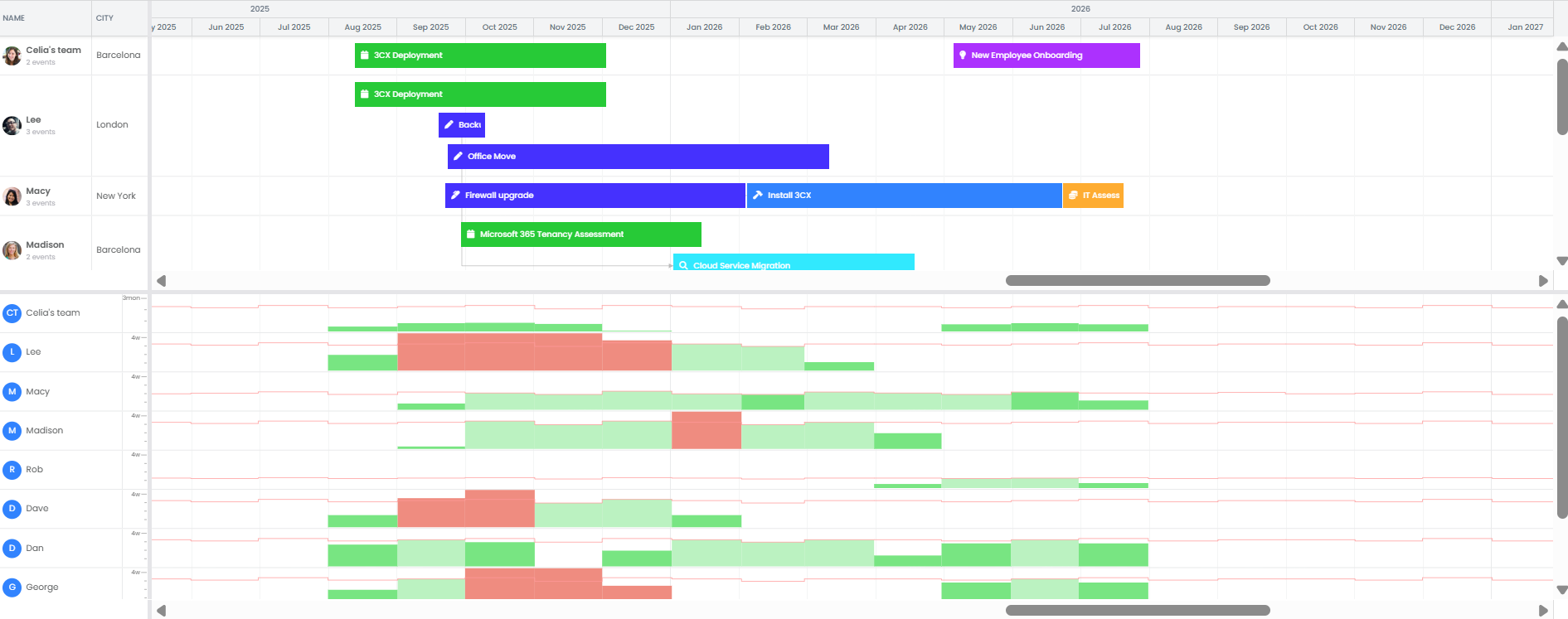
Resource capacity planning is the practice of measuring how much work your team can realistically handle before committing to new projects. It goes beyond headcount. It factors in each engineer's scheduled hours, existing project commitments, expected ticket load, planned time off, and whether the right people are available for the next project.
The goal is a single answer to the question every MSP owner asks constantly: can we take this on, and when can we start?
Why It Matters Now
Without capacity visibility, MSPs make the same two mistakes on a loop: turning down work because they assume the team is full, or saying yes and overloading engineers until someone burns out and quits.
Both problems come from the same root cause. Decisions get made on gut feel instead of data. Owners end up as the bottleneck because no one else has the information needed to push back on a timeline or rebalance a workload.
When capacity is visible, the team can answer "can we do this" without escalating to the owner. Overloads get caught before they happen. Work gets redistributed before a deadline blows. Engineers own their schedules instead of waiting to be told what's next.
How to Apply Resource Capacity Planning

Account for the full workload, not just project hours.
Ticket load and project tasks need to live in the same view because showing only project hours hides the real picture and sets engineers up to fail.
Adjust available hours to reflect how your team actually works.
Time off, training, internal meetings, and non-billable commitments all reduce real capacity, so planning against raw hours creates a gap between what looks possible and what actually gets done.
Test schedule changes before locking them in.
Moving a project start date by two weeks might be the difference between overloading a senior engineer and having room to absorb the work, so drag projects on a visual board to see the impact before you commit.
Plan by the week, not the hour.
MSP project work does not follow a fixed daily schedule because P1 tickets, escalations, and client emergencies move engineers off plan. Weekly blocks are flexible enough to absorb that reality without blowing up the whole timeline.
"We were able to move our average project delivery from negative efficiency to positive 58% efficiency. So we finish projects now with an average of 1/3 time left over!" — Steve Psaradellis, CEO of TEBA
See how other MSPs use TopLeft to deliver projects on time.
Mini-FAQ
What about projects we might win but haven't sold yet?
Add them to your backlog with a budget and team members assigned, and hold off on the full ticket breakdown until the deal closes. This lets you pressure-test your capacity against the pipeline without cluttering your active project board.
Can I track this without messing up my PSA data?
TopLeft reads capacity data from your PSA and does not write back to it, so you can model schedule changes and spot overloads without touching anything in your live system.
What if projects don't burn evenly across the timeline?
They rarely do, which is why you should plan week by week and adjust as work lands. The goal is a rolling view of real capacity, not a fixed projection you have to defend when a P1 hits on a Tuesday.