Discover your MSP’s true strengths and blind spots, and see what it’ll take to scale with higher margins, on-time projects, and a team that works in sync.
What BrightGauge Can’t Show You (And Why TopLeft Is Better)
BrightGauge excels at showing what already happened, including utilization trends, SLA compliance rates, ticket volume by month, and other historical metrics presented through clean charts, automated reports, and solid data.
What it can’t tell you is what’s happening right now. Who’s overloaded today. Which critical ticket is sitting untouched because your team can’t see the queue.
Whether you can actually start that new project next Monday or whether you’re already overcommitted. That’s not a reporting problem. That’s a workflow visibility problem, and dashboards don’t solve it.
Learn how TopLeft compares to BrightGauge
Which Tool Fits Your Situation
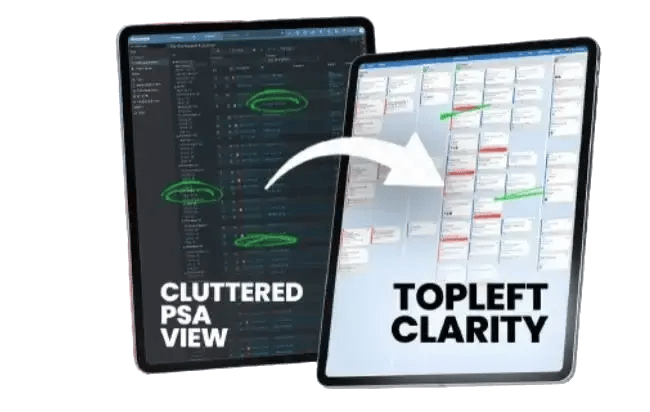
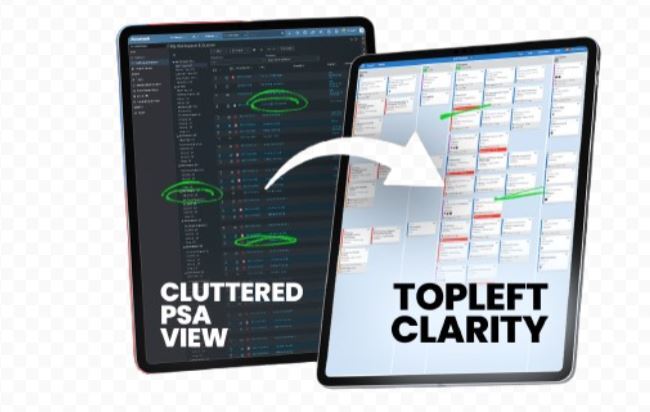
Your techs are working from PSA lists and nobody can see who’s actually busy. Work falls through the cracks because there’s no shared view of the queue. A senior engineer is buried while two others wait for dispatch to tell them what’s next.
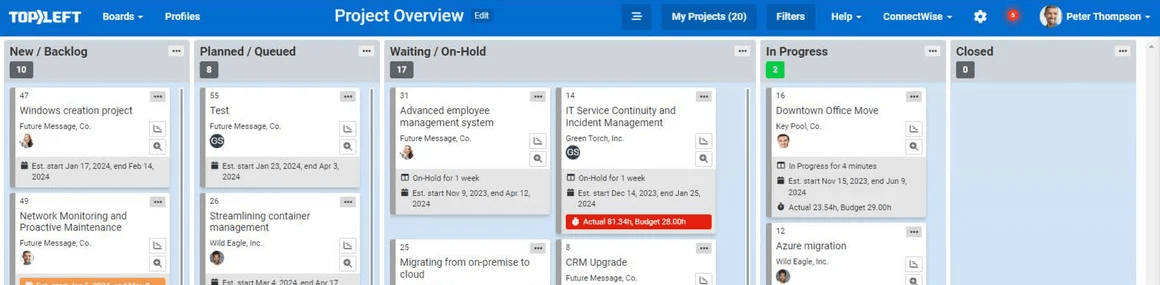
TopLeft puts every ticket and project task on one visual board, synced live with ConnectWise, Autotask, or HaloPSA. Technicians pull their next priority without waiting for someone to assign it. Service managers can see overloads in seconds instead of finding out when an SLA slips
Sales closes a new project. You say yes. Then Friday afternoon arrives and somebody realizes the team is already committed to three other things that week.
The built-in capacity view shows engineer availability against scheduled work before you make the commitment. The native client portal shows clients their ticket and project status in real time. It stops the daily status calls without anyone having to send a manual update.
You need polished QBR reports. You want automated monthly charts showing SLA trends, technician utilization ratios, and ticket volume over time. Your leadership team needs to measure business health or demonstrate value to clients with data.
BrightGauge does that well. But it shows you what already happened. It doesn’t help you answer who should work on this ticket right now, or whether you can take on another project this month.
TopLeft is the right fit when your problem is operational, not analytical.
Your techs are working from PSA lists and nobody can see who’s actually busy. Work falls through the cracks because there’s no shared view of the queue. A senior engineer is buried while two others wait for dispatch to tell them what’s next.
TopLeft puts every ticket and project task on one visual board, synced live with ConnectWise, Autotask, or HaloPSA. Technicians pull their next priority without waiting for someone to assign it. Service managers can see overloads in seconds instead of finding out when an SLA slips.
TopLeft is the right fit when you’re committing to work you can’t actually deliver.
Sales closes a new project. You say yes. Then Friday afternoon arrives and somebody realizes the team is already committed to three other things that week.
The built-in capacity view shows engineer availability against scheduled work before you make the commitment. The native client portal shows clients their ticket and project status in real time. It stops the daily status calls without anyone having to send a manual update.
Reports and Dashboards (BrightGauge) is the right fit when your problem is analytical.
You need polished QBR reports. You want automated monthly charts showing SLA trends, technician utilization ratios, and ticket volume over time. Your leadership team needs to measure business health or demonstrate value to clients with data.
BrightGauge does that well. But it shows you what already happened. It doesn’t help you answer who should work on this ticket right now, or whether you can take on another project this month.
What Customers Are Saying
See It In Action
Get a personal tour of how PSA-integrated Kanban boards give your team a shared view of the work so you stop finding out about overloads and missed SLAs after the fact.