Skip to content
TopLeft

Enhance your MSP client communication with TopLeft's client portal

Clients constantly ask for updates, interrupting your team and slowing down delivery. Endless emails and meetings waste time and strain client relationships.

TopLeft’s Client Portal gives clients real-time access to ticket and project status, reducing questions, improving satisfaction, and integrating directly with ConnectWise, Autotask, and HaloPSA.
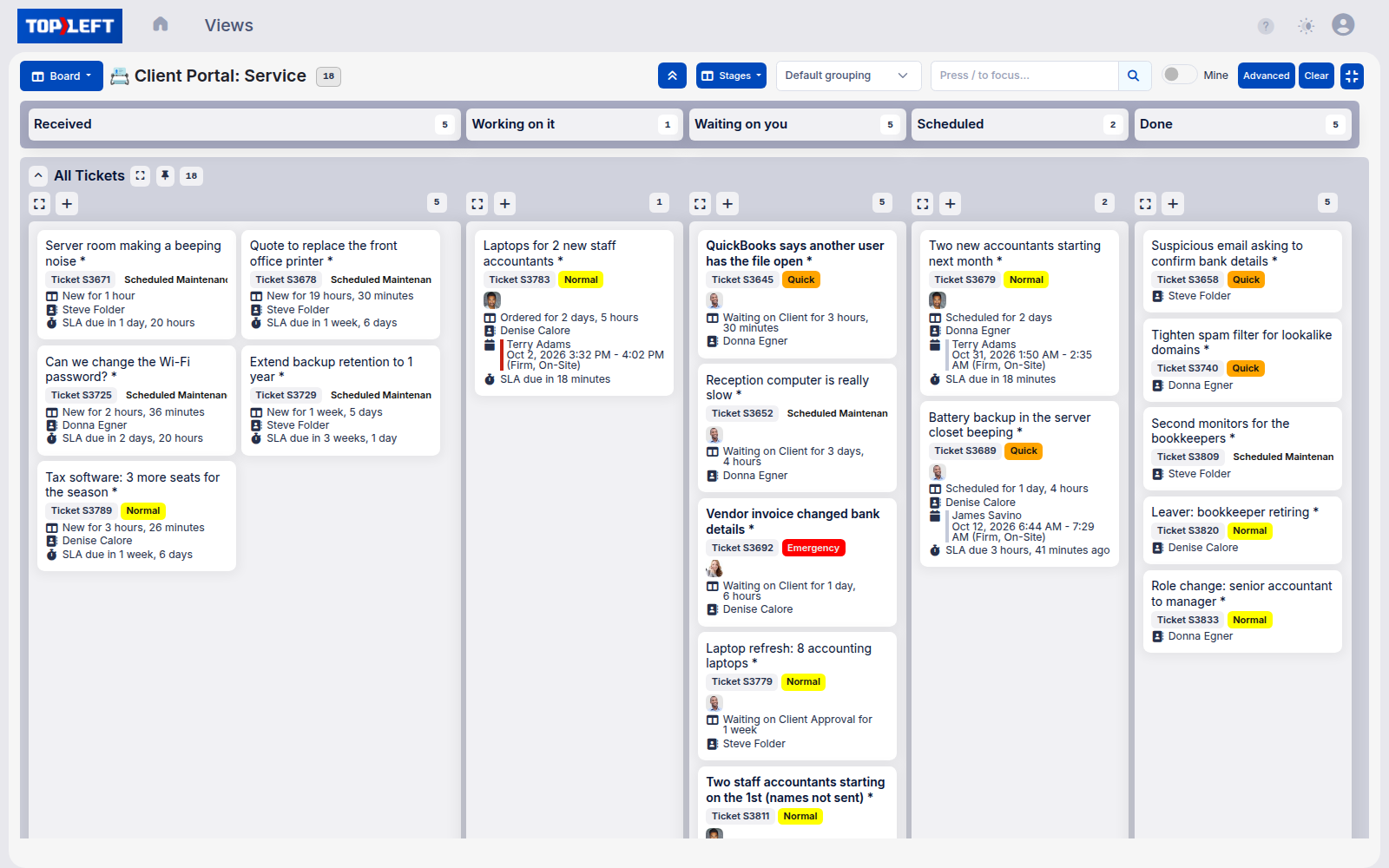
A client's view in the TopLeft client portal: only their company's tickets, on a board with columns Received, Working on it, Waiting on you, Scheduled and Done

Used by 700+ MSPs

TEBASeitel SystemsAppalachian Network ServicesClear GuidanceKelley ConnectVersaTrust

Give clients clear and secure visibility

Let clients see exactly what they need and nothing more. Give them the transparency they want while protecting your internal operations.

  • Show clients their tickets across all workflow stages
  • Display only client-specific tickets and projects for information security
  • Control visible details (assignees, budgets, notes, due dates)
  • Let clients add notes or move cards themselves
  • Maintain security standards with SOC 2 compliance while improving transparency
Book a demo
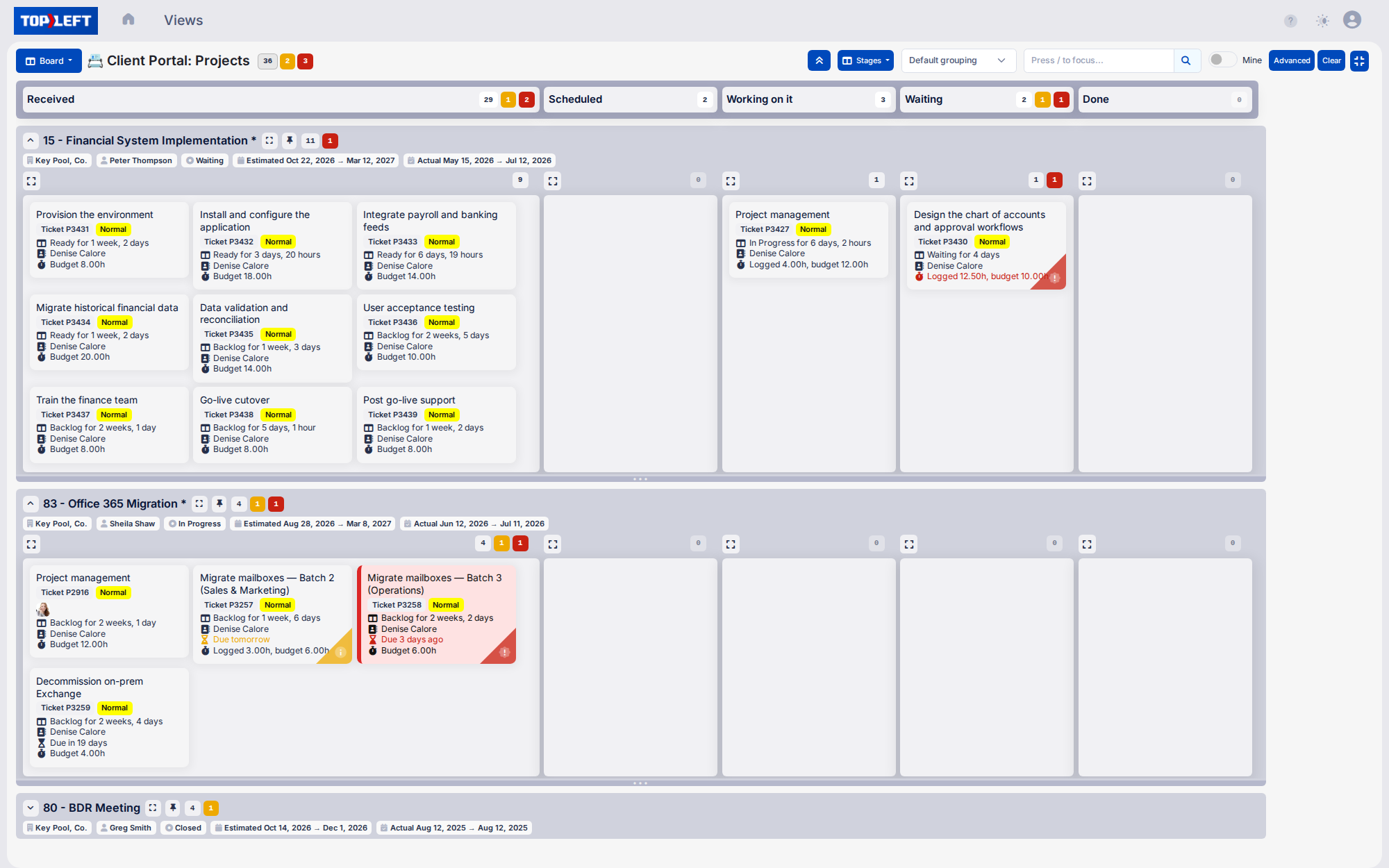
A client's view of their projects in the TopLeft client portal: each project in its own lane with its manager, status and dates, and task cards by stage, with one task flagged red for going over its budgeted hours, one red for being overdue and one amber for being due tomorrow

Increase revenue while improving client experience

Turn client communication into a premium service offering. Transform how clients perceive your MSP's value and professionalism.

  • Reduce client churn through better engagement and transparency - Retain more clients by giving them the visibility they've always wanted
  • Position your MSP as a trusted advisor focused on communication - Differentiate from competitors who keep clients in the dark
  • Differentiate your services from competitors - Stand out in sales conversations with a feature most MSPs don't offer
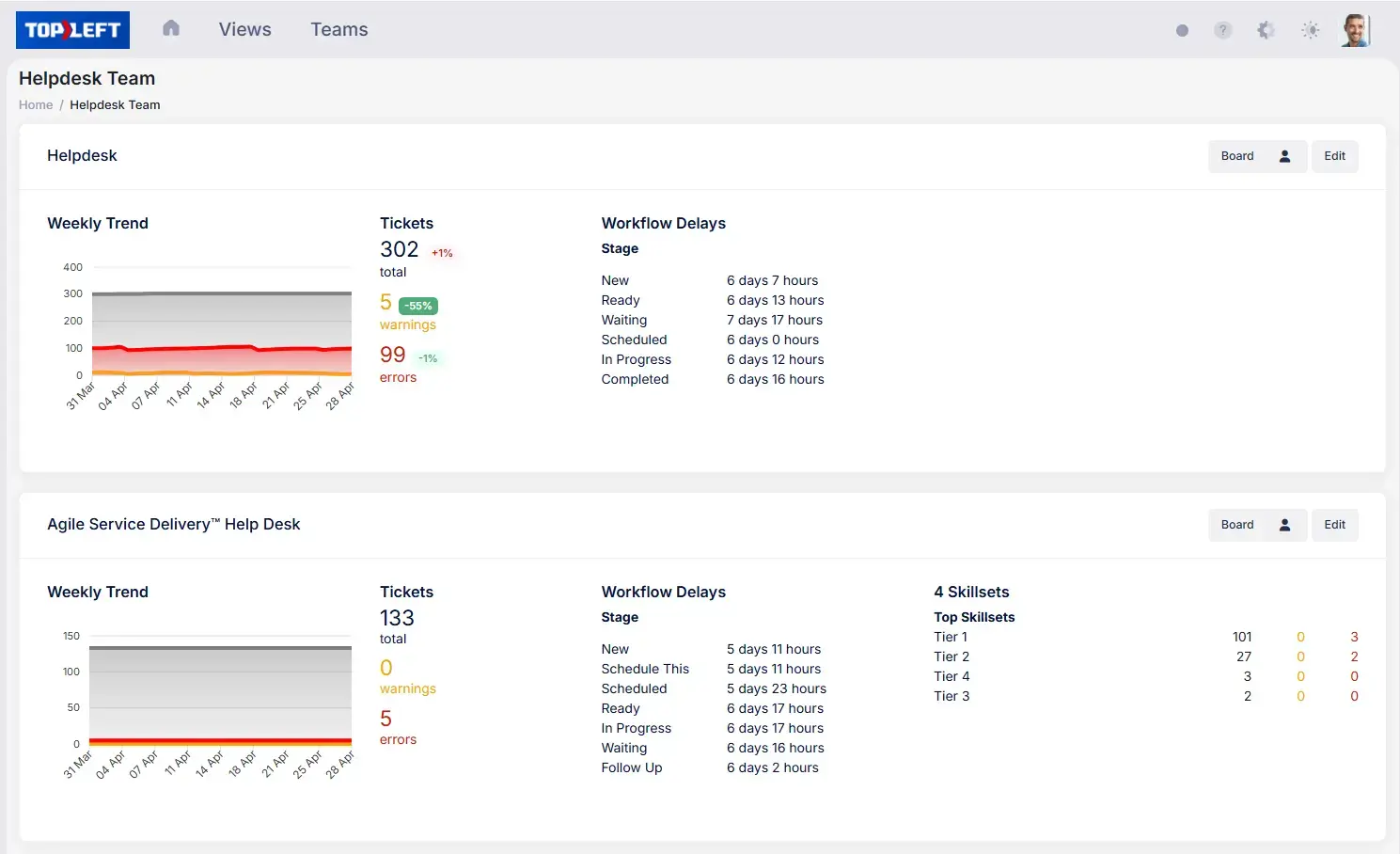
TopLeft team dashboards: weekly ticket trend, warning and error counts, and the time tickets spend at each stage

Client communication that fits your current tools

Improve your client engagement without disruption. TopLeft complements your current tools, ensuring a smooth transition while delivering the advanced features your clients need.

  • Give Each Client Contact Their Own Login: Clients sign in to TopLeft and see only their company's tickets. Already use CloudRadial? Boards embed there too.
  • Maintain Consistent Branding Across Touchpoints: Keep your professional image intact with fully customizable branding.
  • Ensure Data Accuracy with a Single Source of Truth: Eliminate duplicate data entry and prevent inconsistencies by syncing with your PSA.

This feature is available as an optional add-on. For full details, visit our pricing page.
Book a demo
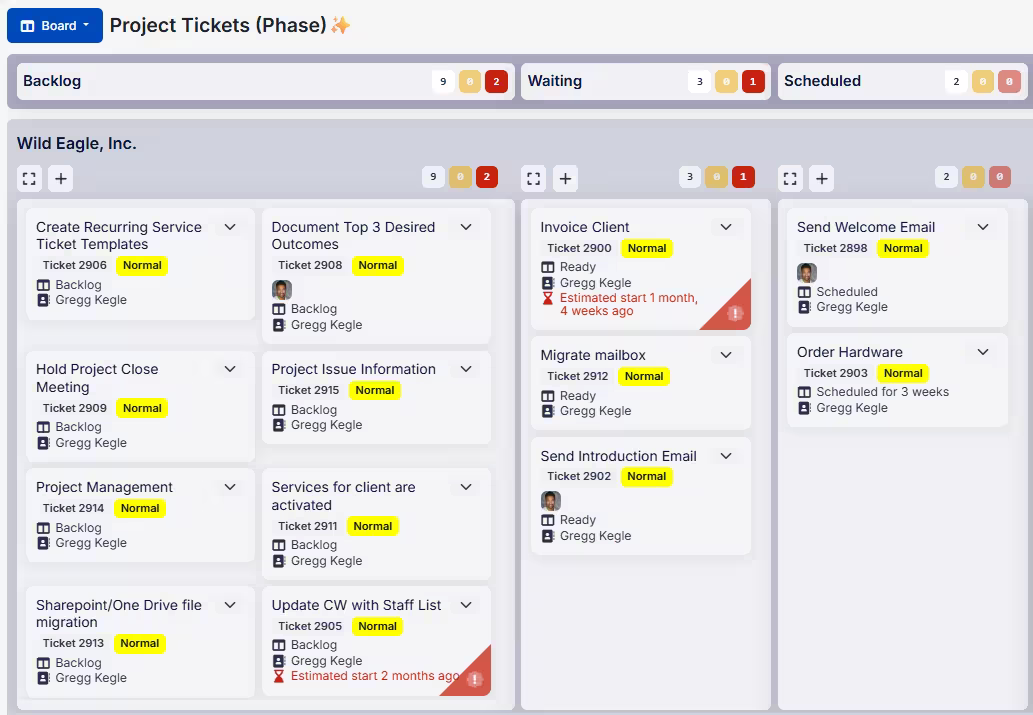
A TopLeft board of one client's project tickets by stage, with overdue cards flagged in red

What MSPs say

★★★★★

“We were looking at something to use in our technical account management space, to have a Kanban-style planner board that our TAMs and our customers could work with each other on, tracking actions and doing their day-to-day stuff.”

Ross Sardi

CEO, First Focus

How First Focus builds client trust with TopLeft

Ross Sardi, CEO of First Focus (a 300-person MSP), shares how their team transformed technical account management by putting boards in front of their clients.

Supporting your implementation every step of the way

Onboarding starts with Launch: four sessions with your Customer Success Manager over 4 weeks, covering board setup, team training and daily huddle coaching. Teams of 10 or more with several departments can go further with Optimize.

If you want to pace the change yourself, 12 Weeks to Kanban is a free series in our help centre, one practice a week.

See implementation services

Questions MSPs ask

What exactly can clients see in the portal?
Clients can see their tickets and projects organized in Kanban boards with your workflow stages (like Ready, Waiting, In Progress, and Complete). You control exactly what information is visible from basic status information to detailed views including assigned technicians, time budgets, notes, and SLAs. Each client only sees their own tickets and projects, maintaining proper security boundaries between clients.
Can clients make changes or just view information?
You decide what level of interaction clients have. At minimum, they can view status information. Optionally, you can allow them to add notes to tickets and even move cards between columns (such as moving a ticket from "Waiting on Client" to "Ready" when they've provided requested information). Any changes they make are immediately synchronized with your PSA.
How does this help when projects stall waiting for client input?
The visual nature of Kanban makes it immediately obvious which items are waiting for client action. By making "Waiting on Client" status visible in the portal, clients can clearly see what's holding up progress. Many MSPs report that clients become more proactive about providing needed information when they can visually see its impact on progress, reducing delays and improving project timelines.
How is this different from the client portal in our PSA?
The visual Kanban format makes status information much easier to understand compared to traditional list-based PSA portals. Clients can see workflow status at a glance without needing to understand your ticketing system. The board format also provides context showing how tickets move through your process and highlighting bottlenecks or delays, including those waiting on client input.
Can we customize the portal to match our branding?
Yes. You can customize colors, logos, and other visual elements to match your brand identity. This ensures a consistent experience for clients and reinforces your brand with every interaction. The portal appears as an integrated part of your service offering rather than a third-party tool.
Will our clients actually use it?
MSPs report high client adoption rates, particularly for clients who frequently request status updates. The intuitive visual format requires minimal training, and most clients quickly appreciate the self-service access to information. Our implementation team can show you how other MSPs introduced the portal to their clients and encouraging adoption.
How secure is the client portal?
TopLeft's Client Portal maintains enterprise-grade security standards, including secure authentication, encryption of data in transit and at rest, and strict access controls ensuring clients only see their own information. The permission model is designed to prevent any possibility of cross-client data exposure while still providing the transparency clients need.

See it in action

Get a personal tour of how PSA-integrated Kanban boards give your team a shared view of all their work.

Book a demo

Search the TopLeft site

    Tip: press / on any page to search. Open the search page

    Feedback on this page

    Fix or keep
    What kind

    Tip: select words on the page before you open this, and they come with your note.

    Optional, up to 5. Paste into the box above, or drop them here.

      They go into the GitLab issue. Crop out anything private.

      See every note and what happened to it