
Enhance client communication with TopLeft's CloudRadial integration
Improve Client Retention with effective visual management through CloudRadial integration
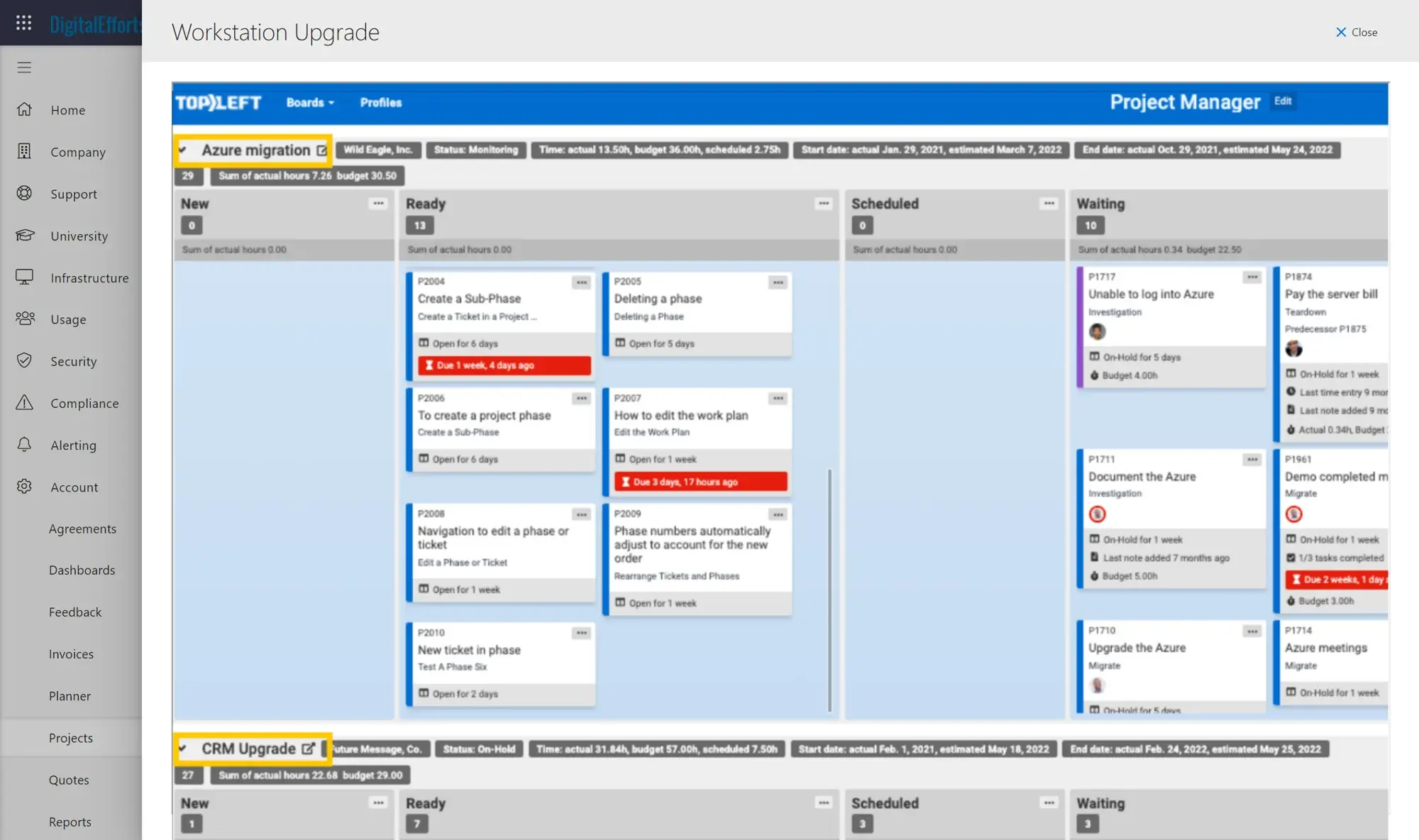
Embed Kanban project boards into your CloudRadial client portal that your clients will love, and turn anxious clients into confident partners with live project updates and milestone tracking.

Used by 700+ MSPs




Why TopLeft + CloudRadial?
- Limited client visibility into project status and progress
- Difficult for clients to track ticket progress across different stages
- Clients struggle to identify which tasks require their action
- Too many "status update" meetings consuming valuable time
- Frequent "what's happening with my ticket?" client inquiries
TopLeft integrates with CloudRadial, keeping projects and tickets organized while providing visual boards that reduce status emails, speed up check-ins, and improve client relationships.
Battling client communication challenges?
With CloudRadial and TopLeft integration, your MSP will:
- Eliminate Client Queries - Clients access real-time project updates, ending "What's happening with my ticket?" questions
- Prevent Project Delays - TopLeft's Kanban boards clearly show client action items, keeping projects moving
- Adapt to Changing Requirements - Quickly adjust to evolving client needs without disrupting workflow
- Enhance Team Coordination - Improve collaboration through clear visibility of everyone's responsibilities
- Simplify Task Management - Visual organization ensures your team knows every task's status at a glance
- Build Client Trust - Transparent project progress windows keep clients informed and in control
CloudRadial-specific benefits
- Visual project transparency for clients – Clients view real-time project updates directly on TopLeft Kanban boards via CloudRadial
- Integrated experience without extra chasing – Clients no longer need to contact project managers for updates, everything is accessible in one place
- Client Portal available with or without CloudRadial – TopLeft’s Client Portal works independently and is included in the standard application
TopLeft and CloudRadial integration (full video)
The full webinar on this integration.
MSPs on client work, projects and service results
★★★★★
“We were looking at something to use in our technical account management space, to have a Kanban-style planner board that our TAMs and our customers could work with each other on, tracking actions and doing their day-to-day stuff.”
Ross Sardi
CEO, First Focus
★★★★★
“The big AHA moment was when I could click on the magnifying glass on a project drill into the tickets for the project. OH MY GOSH. As a project manager I see my own projects- but to talk w/ clients you need to know about the individual tickets. It gives project managers a better way to manage project milestones.”

Scott Patsy
Manager of Strategic Engagement, CIT
★★★★★
“We were able to move our average project delivery from negative efficiency to positive 58% efficiency. So we finish projects now with an average of 1/3 time left over! TopLeft is an extremely affordable investment, considering the costs of switching PSAs and the efficiency improvements.”Read the full story

Steve Psaradellis
CEO, TEBA
★★★★★
“As of today, we're sitting at 100% CSAT rating. Our ticket count right now is 15. And we haven't lost a client in 2 years.”
Scott Taylor
COO, Allixo Technologies
See it in action
Get a personal tour of how PSA-integrated Kanban boards give your team a shared view of all their work.