













Most MSPs don’t struggle because their techs are weak; they struggle because nobody can see what’s stuck or who’s at capacity.
TopLeft helps MSPs that are ready to use Kanban boards every day, follow a consistent workflow, limit work in progress, and give their team a clear next action. If you’re looking for a practical tool that will solve all your problems immediately without changing your workflow, it’s not for you. However, if you’re ready to build a system that your team can follow every day, it works extremely well.
Perfect Fit Checklist
TopLeft works best for MSPs and IT service management (ITSM) departments that match this profile:
-
You are facing project management or service delivery issues across service and project work
-
You use ConnectWise, Autotask, or HaloPSA
-
We work with MSPs of all sizes, from lean 1–2 person teams to multi-department organizations with dedicated service and project managers handling high project volumes
-
Your team cannot clearly see who is working on what, where work gets stuck, or which projects or tickets are behind
-
You miss SLAs or project deadlines even though engineers are busy all day and constantly multitasking
-
Dispatchers waste hours manually assigning, reassigning, and tracking tickets across service and project work
-
Engineers juggle a mix of project and service tickets, cherry-pick easier work, and context-switch while critical work waits
-
Profit margins are tight or your ITSM budget is under pressure, often limiting room for hiring or tooling mistakes
-
You are considering hiring more staff to keep up, even though you suspect capacity and prioritization issues
-
You want to grow revenue or capacity without increasing headcount or blowing up your budget
-
Backlogs, project overruns, scope creep, or poor SLA compliance are hurting client satisfaction
-
You are open to improving workflows gradually, even if your team resists change at first
If most of these sound familiar, TopLeft can help your team finish work faster, improve your MSP’s margins, and create a more stable and more predictable way to manage your workload.
What to Expect

Time Investment
-
Week 1: 1–2 hours to connect your PSA and set up boards
-
Weeks 2–4: 30 minutes per day for stand-ups and board updates
-
Ongoing: 15–20 minutes daily per team member
What You'll Need to Do
-
Connect your PSA (ConnectWise, Autotask, or HaloPSA) to TopLeft
-
Attend onboarding sessions with your team (1–4 hours total, depending on your plan)
-
Run weekly or biweekly stand-ups to review boards, surface blockers, and clear bottlenecks. Short huddles typically last 10 to 15 minutes, while deeper sprint or planning sessions may run 30 minutes to 1 hour.
-
Set work-in-progress limits so your team focuses on finishing work instead of starting more
-
Track cycle time instead of the number of tickets your team is handling
-
Participate in weekly coaching (if you choose Rapid Implementation or Accelerator)
What TopLeft Provides
-
Direct PSA integration so every change updates automatically in both systems without entering the same info twice
-
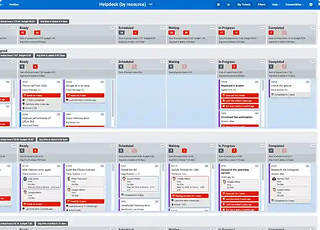
Kanban boards that show every ticket and project by status, priority, and deadline
-
Capacity planning tools to forecast workload and prevent technician overload
-
Role-specific training for managers, techs, and coordinators
-
Ongoing support through Customer Success and coaching programs
Timeline for Results
-
30 days: See clearer priorities, fewer scheduling issues, and faster ticket flow
-
90 days: Hit measurable gains in SLA compliance, cycle time, and team throughput
-
6 months: Free up your team’s time significantly, reduce project and ticket delays, and take on more work without hiring more resources.
Potential Challenges
-
Team resistance: Some techs may push back at first, especially if they're used to working from PSA lists
-
Workflow changes: You'll need to shift from assigning tickets to letting techs pull their next priority
-
Daily discipline: Stand-ups and board updates require consistency to stick
-
Change management: Full adoption takes leadership commitment and coaching
If you’re ready to put in the work, TopLeft shows measurable results within 90 days. Most MSPs reduce time spent on dispatching, shorten project cycle time, miss fewer SLAs, and create enough extra capacity to take on more clients without adding staff.
Common Questions
-
Does TopLeft integrate with ConnectWise, Autotask, or HaloPSA and give us a bird's eye view of our resources, project timelines, and priorities in one dashboard?
Yes. TopLeft connects directly to your PSA and shows every ticket and project on visual boards. You'll see who's working on what, what's blocked, and what needs attention now, all in real time.
-
Can we organize tasks by project, resource, phase, or team so we get a full picture of everythingthat'shappening?
Yes. You can group work by technician, project, client, priority, or phase. Boards adapt to how your team operates, and you can switch views based on what you need to see.
-
How do we handle time entry and billing ifwe'reusing this instead of our PSA, and can we finally see if we're going over budget on hours?
TopLeft doesn't replace your PSA. Techs log time and notes directly in TopLeft, and those updates push back to ConnectWise, Autotask, or HaloPSA automatically. You can track hours against budgets and see overruns before they become problems.
-
Can our technicians just stay inour PSAinstead of learning another tool, since we already spend too many hours on project setup and admin work?
Technicians can still work inside the PSA if needed, but real control over flow and bottlenecks comes from working directly off the Kanban board. When techs pull work from a prioritized board, everyone works in the right order and bottlenecks become visible.
Without this, tickets get cherry-picked, critical work waits, and managers lose control of priorities. TopLeft removes manual dispatch, cuts meeting time, and shows the next priority immediately. Setup takes minutes, not hours.
-
Since we're saying yes to everything, how does this help us stay on top of those who's overloaded, who does not have enough work, and keep our priorities in check even when our dispatcher is out?
TopLeft's capacity planning and boards show workload distribution in real time. You'll see who has too much work and who has capacity, and techs can pull their next priority without waiting for a dispatcher. Work keeps moving even when someone is out.
-
How will this help keep tickets from falling through the cracks when we're overwhelmed?
Kanban boards make every ticket visible. If something's blocked or stuck, the whole team sees it. Work-in-progress limits prevent overload, and daily stand-ups catch issues early, so tickets don't disappear.
-
Will this help cut down on all the "Did you get this done yet?" emails and daily check-in meetings just to see where our project and task deadlines stand? Or will we still need separate tools to track it all?
Yes. TopLeft replaces status emails and bloated meetings with visual boards. One MSP cuts meeting time by 70%. You'll see progress immediately, and stand-ups take 10–15 minutes instead of an hour.
-
How does this integrate with our existing workflows and tools (Outlook calendar, PSA, Asana, Monday, Trello, etc.)? We don't want to keep double-controlled data.
TopLeft syncs directly with your PSA, so there's no double entry. If you're using outside tools like Asana, Monday, or Trello, TopLeft replaces them and keeps everything in your PSA where it belongs. No more shadow systems or siloed data.
-
How does this help with SLA management and response times? We need better visibility for tickets that are close to reaching their deadline.
TopLeft highlights tickets approaching SLA deadlines and tracks compliance in real time. Boards show priorities clearly, and alerts flag at-risk tickets so your team can act before SLAs are missed.
Bottom Line
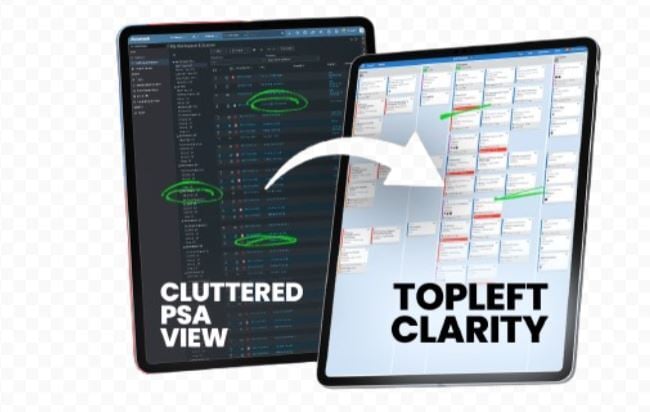
If you're serious about fixing your MSP's project delays, SLA issues, or capacity problems, TopLeft works, but only if you commit to the process. The software is half the solution; the other half is coaching your team to work differently. MSPs that follow through see results relatively soon, while those that skip the workflow changes end up with just another underused dashboard.