
Kanban boards for HaloITSM
For service desk managers, analysts and project leads on HaloITSM.
Used by 700+ MSPs




Why TopLeft + HaloITSM?
HaloITSM records your incidents, service requests, changes and projects. TopLeft puts that work on boards your whole team reads at a glance, across ticket types at once, and saves each change back to HaloITSM.
See the queue in one place: what's waiting, what's escalated and what's close to its SLA, without opening each ticket.
Know who's on what: every analyst's tickets and project tasks sit in their own lane, so nobody has to ask.
Same connection as HaloPSA: TopLeft reads and updates HaloITSM through Halo's API, the same way it works with HaloPSA.
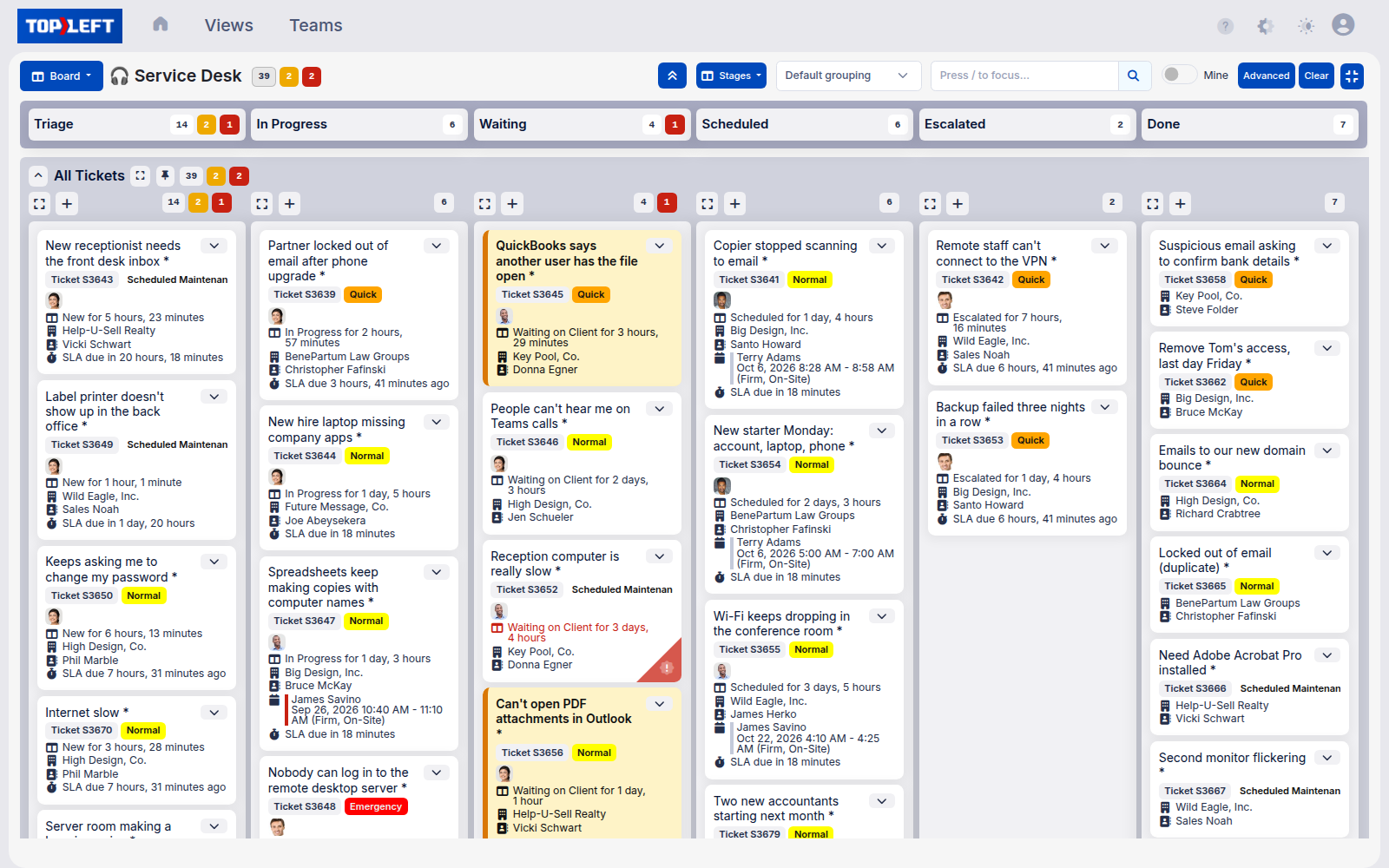
Every HaloITSM ticket and project task on one board
Tickets and project tasks sit side by side on one board, so an analyst's whole day is in one place.
Swimlanes: group cards by agent, priority or project.
Drag to reassign: drag a card to another agent's lane or the next column, and HaloITSM is updated.
WIP limits: cap how many cards a column or a person holds, so work gets finished before more starts.
Deadlines you can see: color-coded cards show what is due soon and what is overdue.
In Progress is over the WIP limit!
Focus on finishing instead of starting.
That's the whole idea!
Now imagine this live with your PSA.
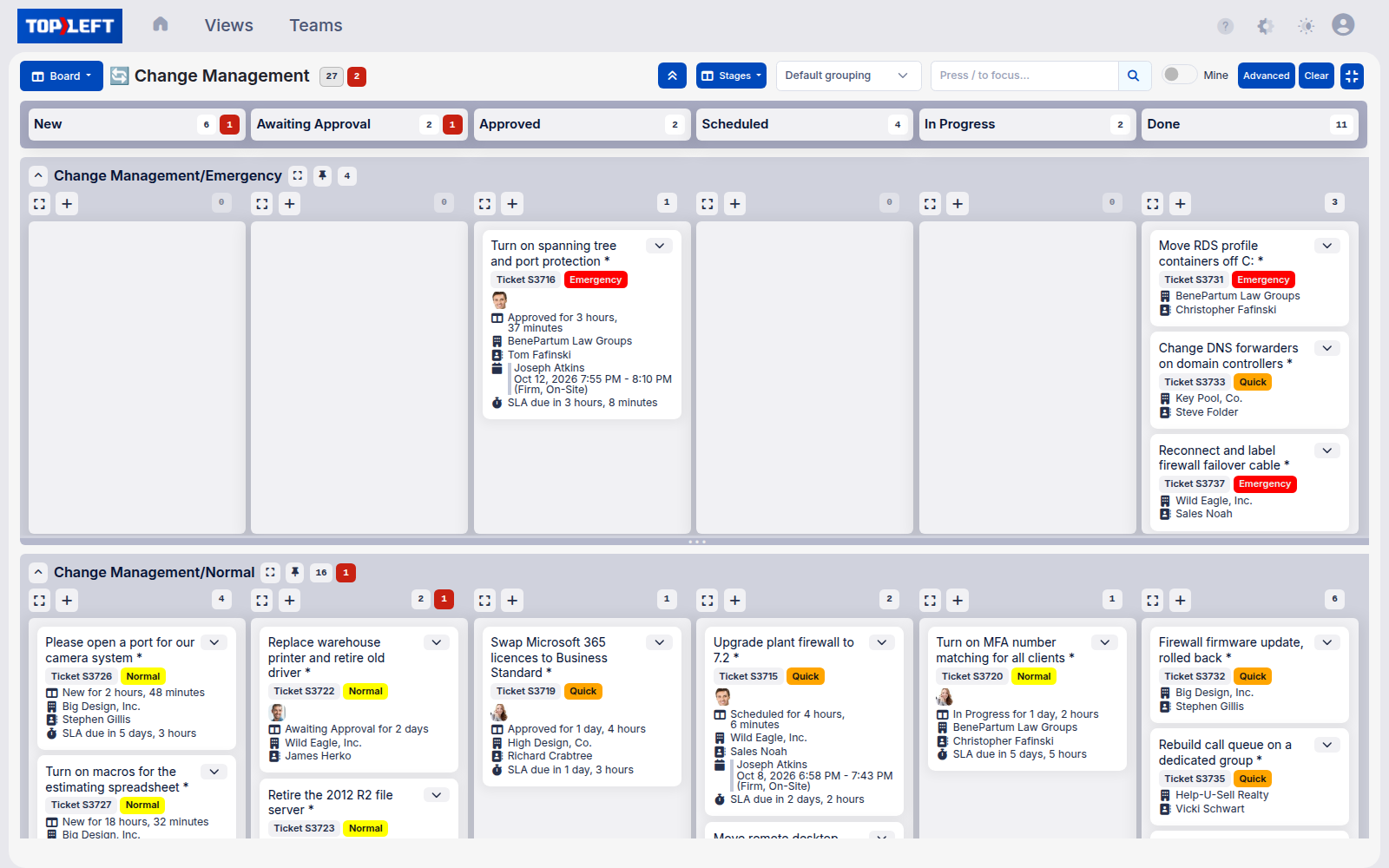
Run changes on their own board
Boards are built from your HaloITSM ticket types and statuses, so changes, incidents and requests can each have a board of their own.
Put emergency changes in a lane above normal ones and follow each change from New through approval to Done. Moving a card updates the change ticket in HaloITSM.
Plan HaloITSM projects on a Gantt chart
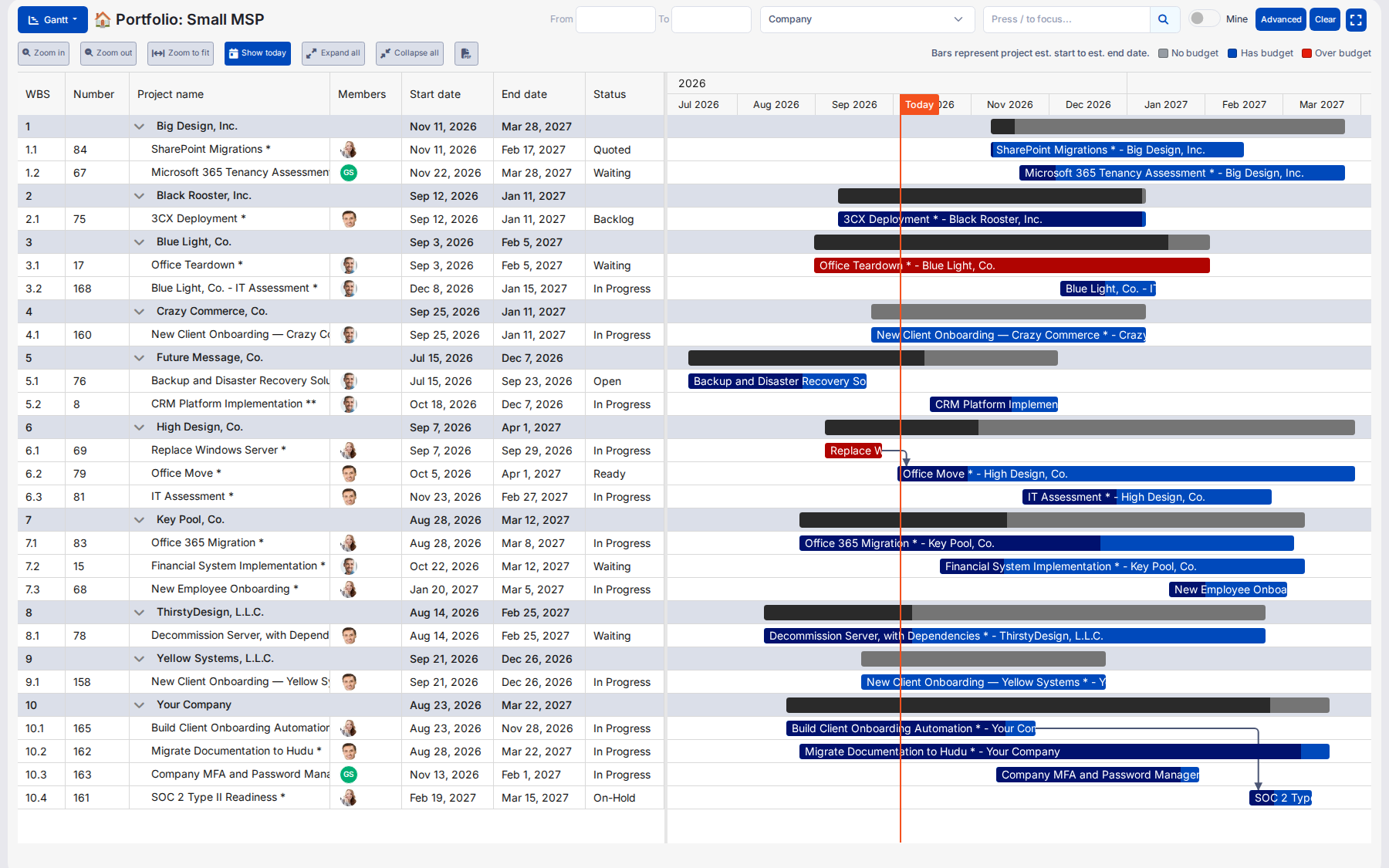
See every project on one timeline, or one project task by task.
Dependencies: link tasks so a slip shows you what moves with it. HaloITSM does not store these links, so TopLeft keeps them.
Project templates: start a rollout or a migration from a template. Each phase becomes a HaloITSM milestone and each task a ticket in it.
More on Gantt charts in TopLeft.
Know your team has room before you commit to a project
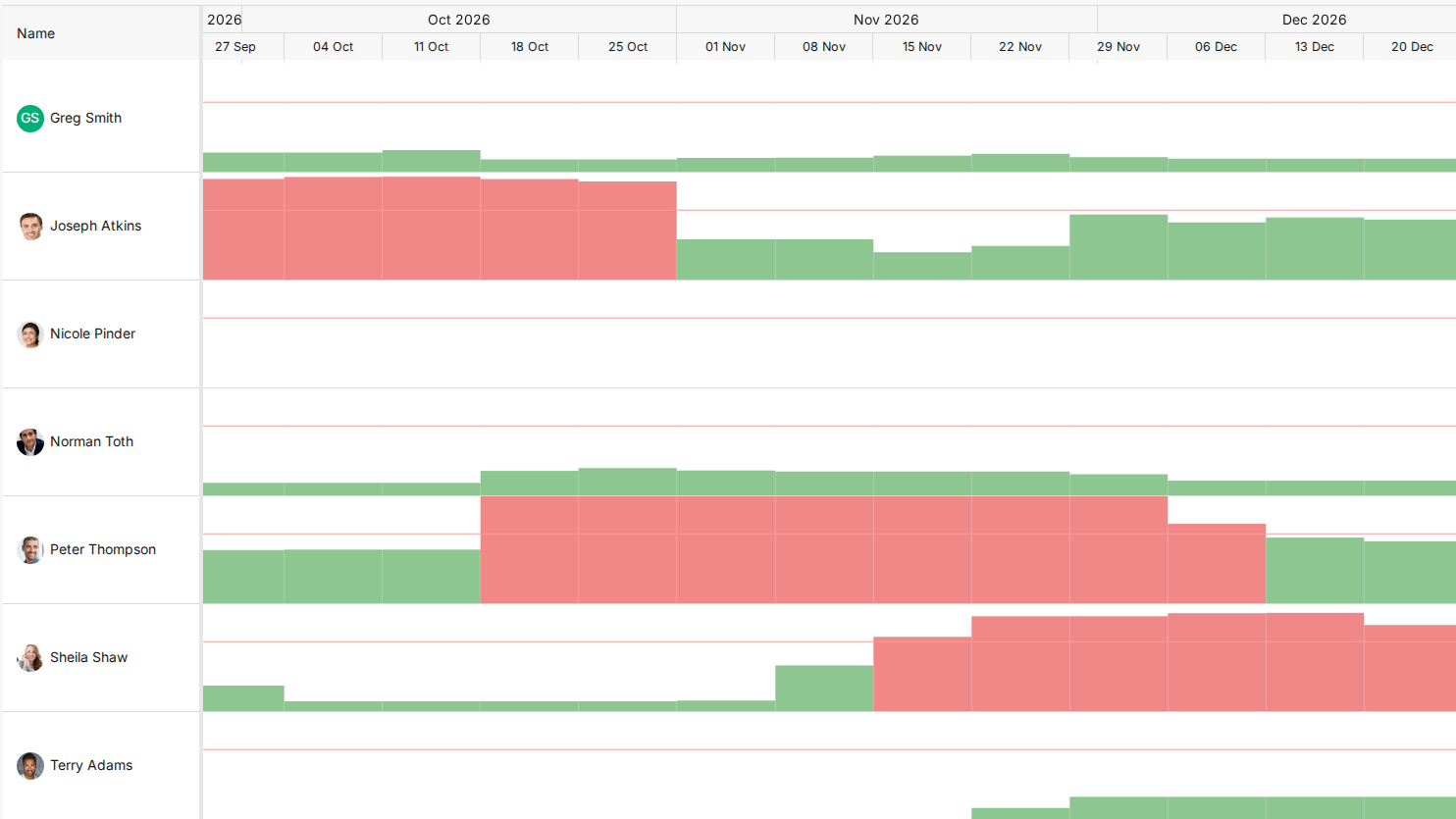
TopLeft reads the project work already scheduled in HaloITSM and shows it against each person's available hours, week by week.
Spot who is overbooked in a coming week, and move work to someone with room before it lands. More on capacity planning.
Service desks on shorter queues and fewer bottlenecks
★★★★★
“Morgan Birgé improved efficiency and ticket management by implementing TopLeft, leading to better utilization and faster response times for customers. We have reduced ticket queue from 180 to under 100, and enhanced tech utilization, with some improving from 30% to 60%.”Read the full story

Te’neyl Simpson
Director of Technical Operations, Morgan Birgé
★★★★★
“We see value in using TopLeft. We have seen firsthand how it has helped us visualize our workflows, identify bottlenecks and continuously improve our processes. We've even brought in new team members who were able to rapidly get up to speed with TopLeft.”Read the full story

Judi Baker
Service Desk Manager, Seitel Systems
★★★★★
“As of today, we're sitting at 100% CSAT rating. Our ticket count right now is 15. And we haven't lost a client in 2 years.”
Scott Taylor
COO, Allixo Technologies
Set up in 30 minutes
- Add a role for TopLeft in HaloITSM, if you want to limit what it can see
- Add an API agent and an API application
- Enter the credentials in TopLeft
- Pick the ticket types and projects your team works from, and invite them
The Halo setup guide has each step. It names HaloPSA, and HaloITSM is set up the same way.
See it in action
Get a personal tour of how Kanban boards on HaloITSM give your team a shared view of all their work.