
Kanban boards for AlgaPSA
For MSP service managers, technicians and project managers on AlgaPSA, hosted or self-hosted.
Used by 700+ MSPs




Why TopLeft + AlgaPSA?
AlgaPSA runs your tickets, projects, time and billing. TopLeft puts that work on boards the whole team reads at a glance, across every ticket board and project at once, and writes each change straight back to AlgaPSA.
Moving from ConnectWise or Autotask? Your team keeps working the same way, with the same kind of boards, Gantt charts and daily huddle, set up on AlgaPSA.
Already on AlgaPSA? Add a view across boards and projects, WIP limits and weekly capacity, without changing how AlgaPSA is set up.
Starting out? Pair a PSA that's affordable to run with a way of working your team can keep as it grows.
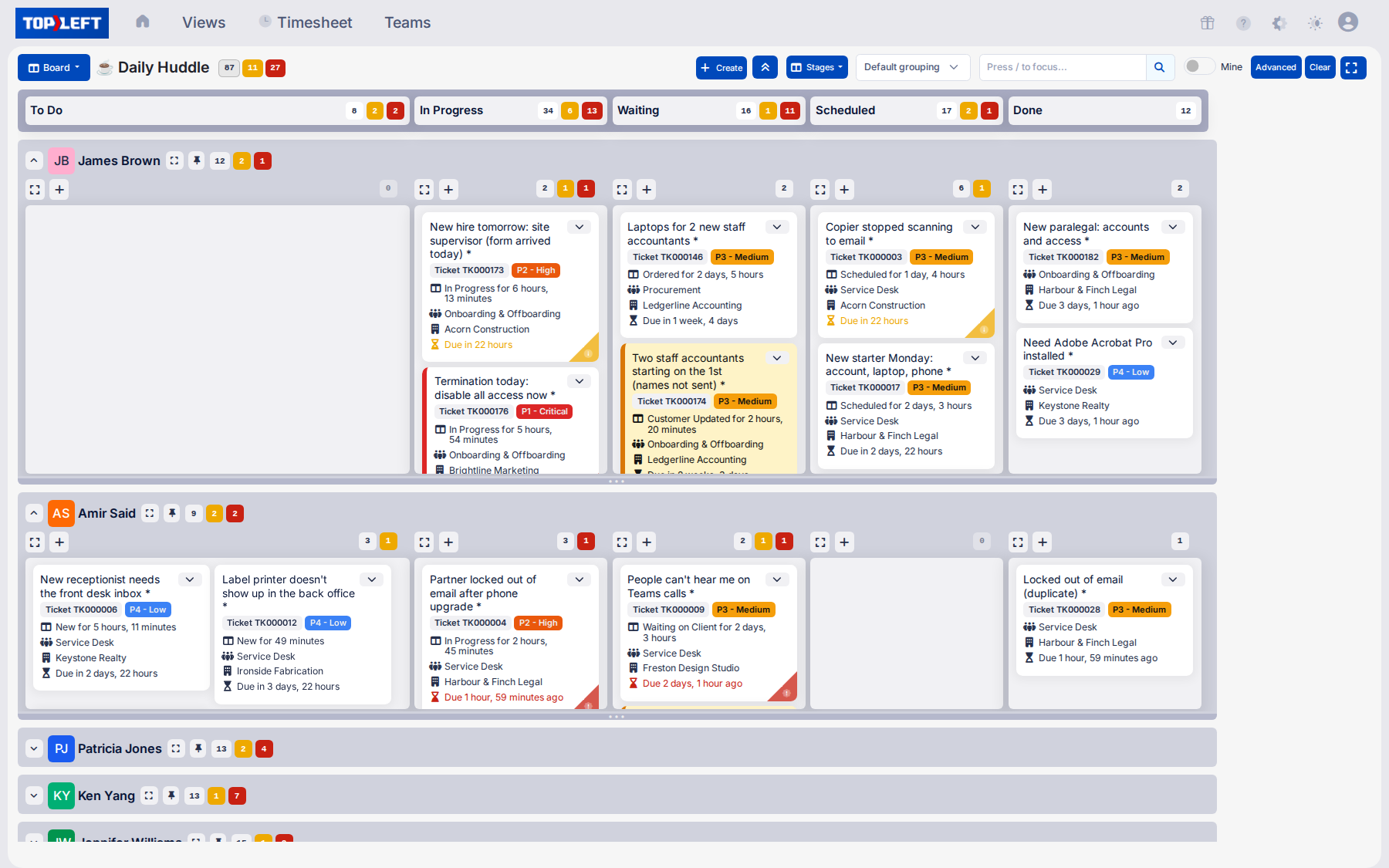
Every AlgaPSA ticket and task on one board
AlgaPSA tickets and project tasks sit side by side on one board, so a tech's whole day is in one place.
Swimlanes: group cards by technician, client, priority or project.
Drag to dispatch: drag a card to another tech's lane or the next column, and AlgaPSA is updated.
WIP limits: cap how many cards a column or a person holds, so work gets finished before more starts.
Open in AlgaPSA: every card links to its record in AlgaPSA.
In Progress is over the WIP limit!
Focus on finishing instead of starting.
That's the whole idea!
Now imagine this live with your PSA.
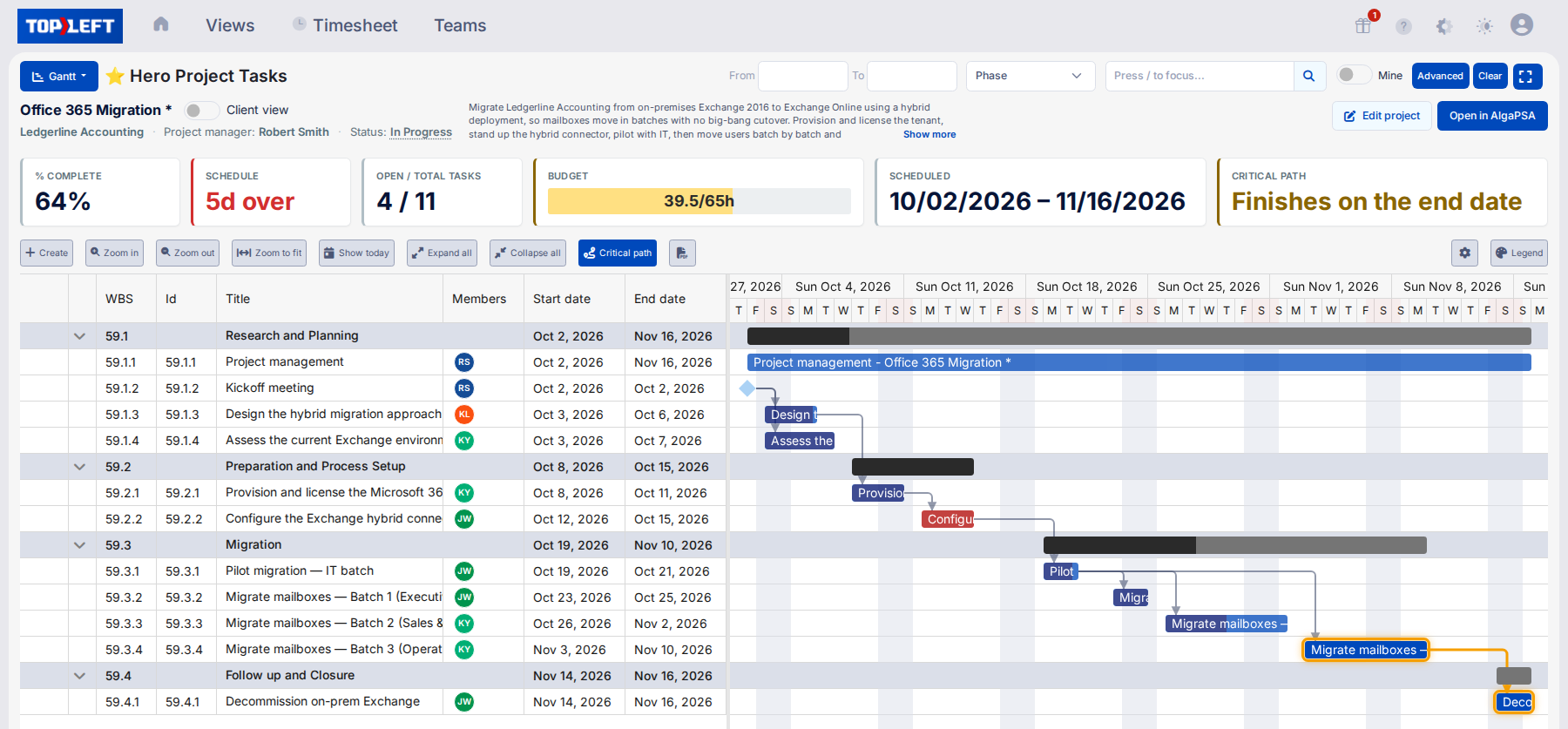
Plan AlgaPSA projects on a Gantt chart
See every project on one timeline, or one project task by task.
Dependencies: link tasks so a slip shows you what moves with it. TopLeft keeps these links itself.
Project templates: start an onboarding or a migration from a template, with its phases and tasks ready.
Bulk edit: move dates and reassign tasks across a project in one go.
More on Gantt charts in TopLeft.
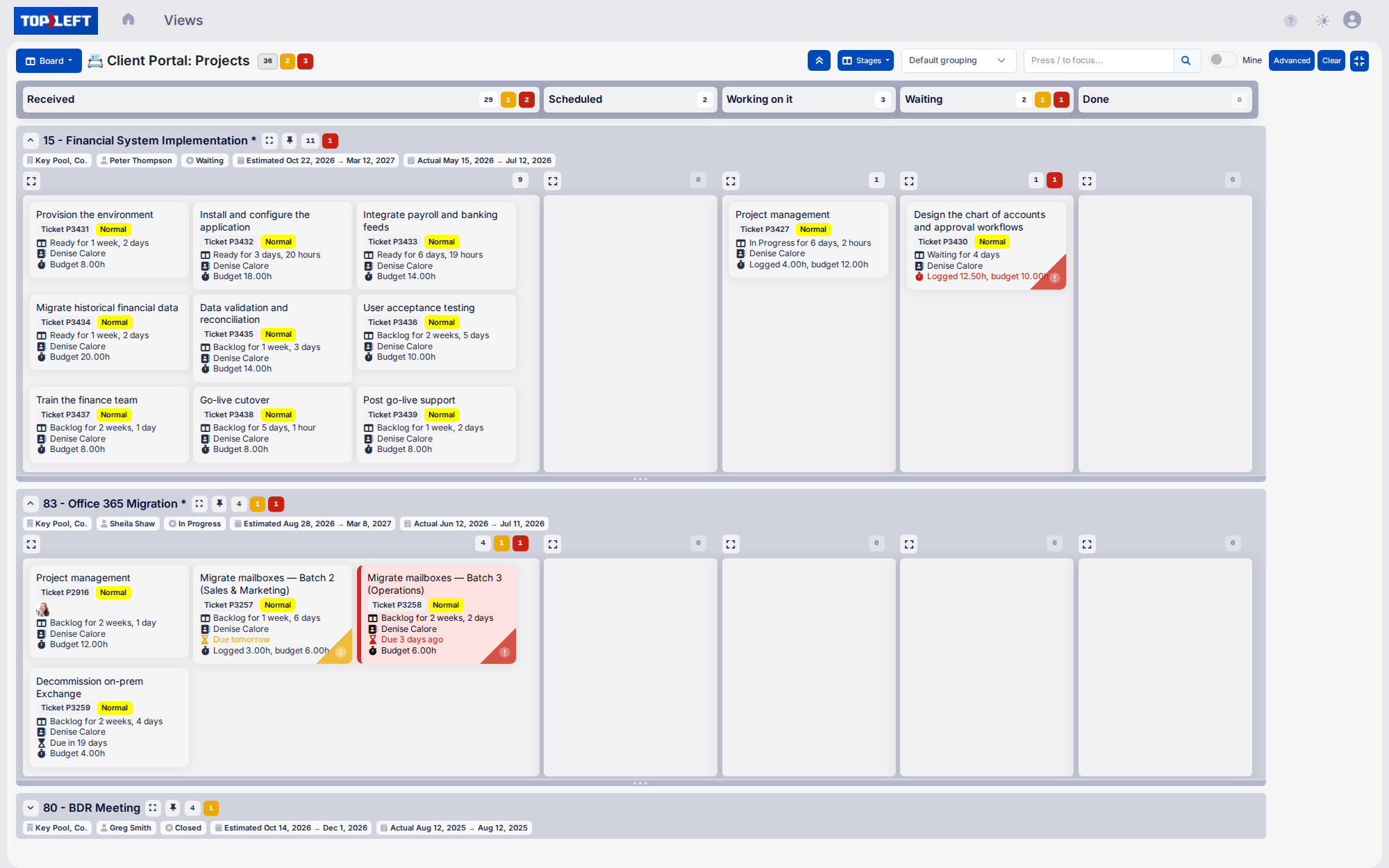
Show clients their own tickets and projects
Give each client a portal with their AlgaPSA tickets and project progress, so they check status themselves instead of emailing you for it.
Already use CloudRadial? Embed the same boards in your CloudRadial portal.
More on the client portal.
Log time and ask AI about your AlgaPSA work
Time entry: techs log time from the card or their timesheet. Once a tech saves their own AlgaPSA key in TopLeft, their time lands in AlgaPSA under their name.
AI connector: connect Claude, ChatGPT, Gemini or Copilot through the MCP connector, then ask what's overdue, draft a handover or log time in plain words.

MSPs on shorter queues and fewer bottlenecks
★★★★★
“Morgan Birgé improved efficiency and ticket management by implementing TopLeft, leading to better utilization and faster response times for customers. We have reduced ticket queue from 180 to under 100, and enhanced tech utilization, with some improving from 30% to 60%.”Read the full story

Te’neyl Simpson
Director of Technical Operations, Morgan Birgé
★★★★★
“We see value in using TopLeft. We have seen firsthand how it has helped us visualize our workflows, identify bottlenecks and continuously improve our processes. We've even brought in new team members who were able to rapidly get up to speed with TopLeft.”Read the full story

Judi Baker
Service Desk Manager, Seitel Systems
★★★★★
“As of today, we're sitting at 100% CSAT rating. Our ticket count right now is 15. And we haven't lost a client in 2 years.”
Scott Taylor
COO, Allixo Technologies
Set up in 30 minutes
- Add an AlgaPSA user for TopLeft that can read and change your tickets, projects and clients
- Make an API key on that user's AlgaPSA profile page
- Enter your AlgaPSA address and the key in TopLeft
- Pick the boards and projects your team works from, and invite them
This works with hosted AlgaPSA and with a self-hosted appliance that TopLeft can reach over the internet. The AlgaPSA setup guide has each step.
See it in action
Get a personal tour of how PSA-integrated Kanban boards give your team a shared view of all their work.