
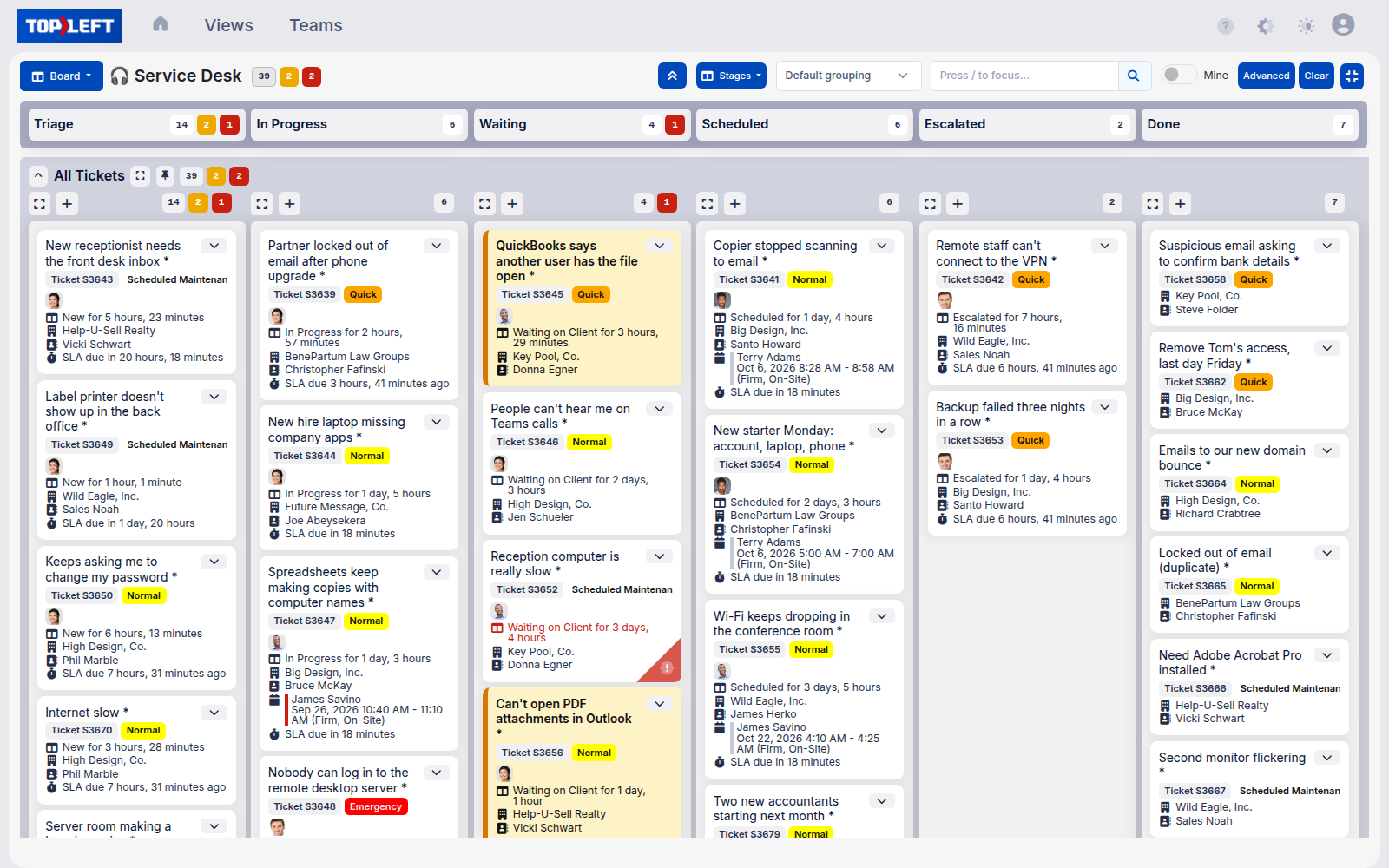
Visualize the work
Every piece of work becomes a card, whether it is a ticket, a project task, a deal, or an internal job. One board shows the whole operation, so nobody has to ask what to work on or chase a status in chat.
Tickets pile up, projects slip, and nobody can see who is drowning. Kanban fixes that for managed service providers: every job becomes a card, you cap what is in progress, and work actually finishes.
In Progress is over the WIP limit!
Focus on finishing instead of starting.
That's the whole idea!
Now imagine this live with your PSA.
See every job, and keep each one moving to done.
Everything below is just how that happens on a board.
It is a way of running work where every job is visible as a card, the amount in progress is capped, and the team pulls the next priority instead of juggling everything at once. It is not just for service tickets. The same board runs projects, sales, internal improvements, and procurement, and the cards are your real work, not a copy you keep up to date by hand.
None of this is experimental. Kanban started on Toyota's factory floor in the 1950s, then reshaped software teams, hospitals, and logistics.
Every piece of work becomes a card, whether it is a ticket, a project task, a deal, or an internal job. One board shows the whole operation, so nobody has to ask what to work on or chase a status in chat.
Cap how many cards can be in progress at once: a whole column, or each technician’s lane. When it is full, you finish before you start. Per-tech limits are what actually stop one engineer juggling ten open tickets. Stop starting, start finishing.
Instead of a dispatcher pushing a pile onto each tech, people pull the next most important card when they have room. Work is assigned by capacity, not guesswork.
Cards move through stages: to do, doing, done. You watch work flow across the board. When a card sits in one column too long, everyone can see it is stuck.
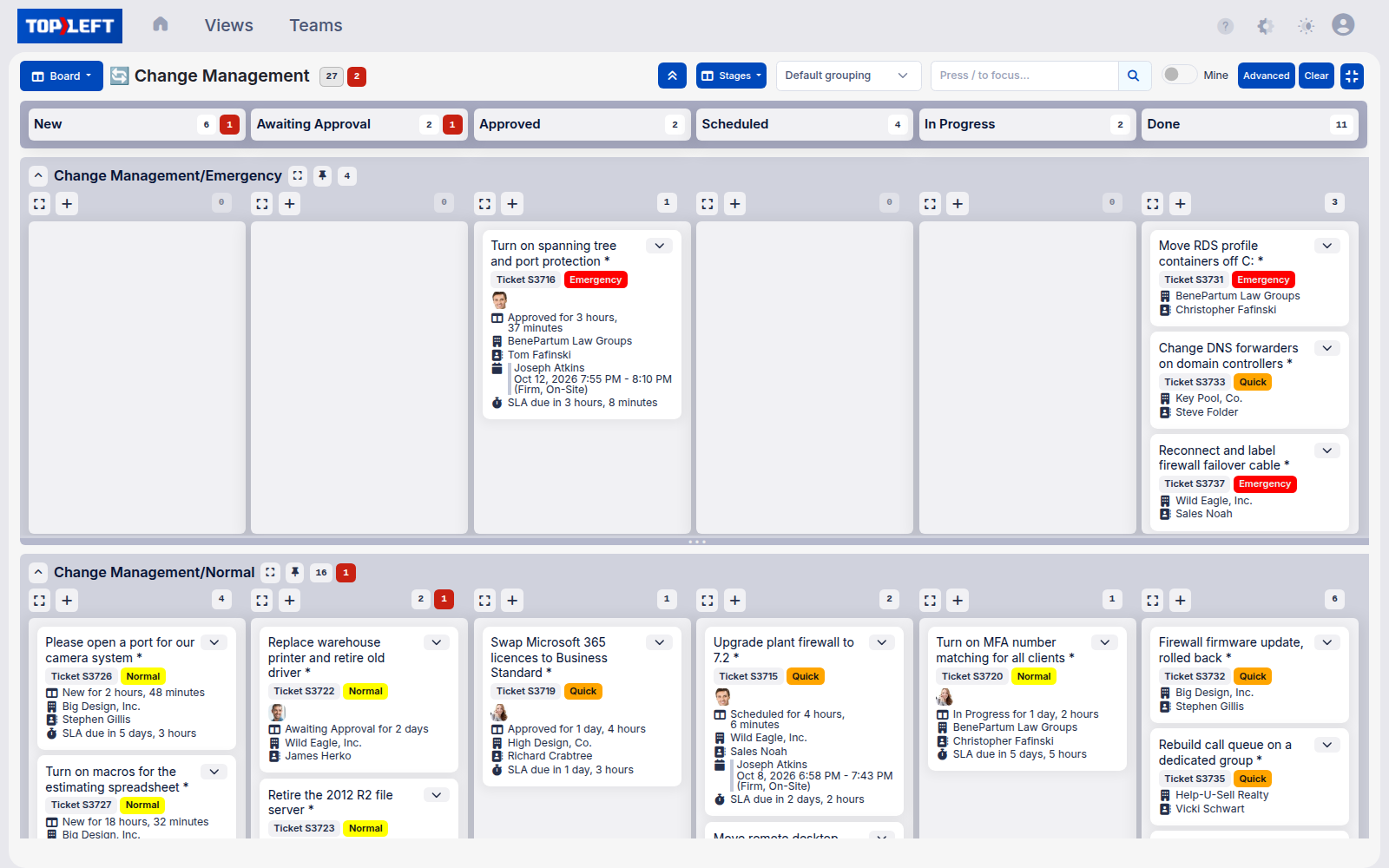
Group the board into rows by client, technician, or priority. The same cards, sliced the way the conversation needs: per-client for a review, per-tech for dispatch.
A daily huddle at the board, 10 to 15 minutes when the team comes prepared. They move cards, surface blockers out loud, and agree what gets pulled next.
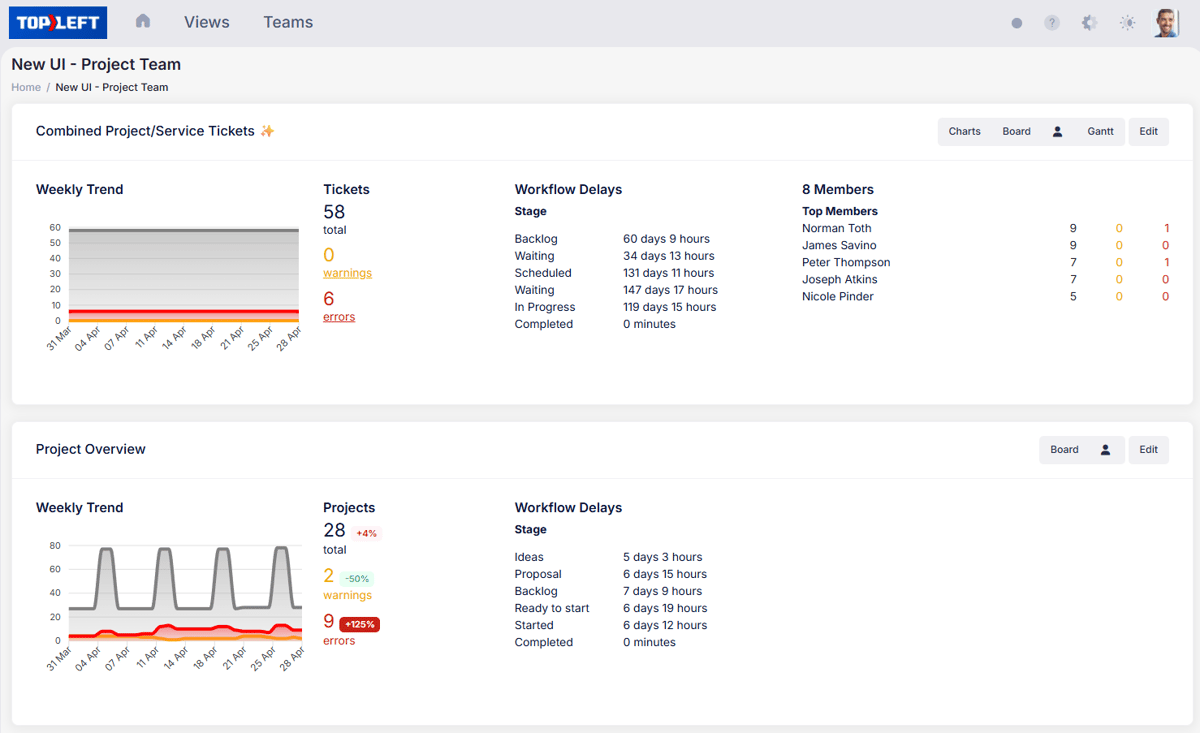
Cycle time, how long a card takes to cross the board, and throughput, cards finished per week, tell you whether changes are working. Numbers, not gut feel.
Kanban is not a service-desk trick. Anything that moves through stages can live on a board with the same three rules: make it visible, limit what is in progress, pull the next priority. These are the boards MSPs run most.
Reactive tickets triaged and pulled by priority, so nothing falls through and SLAs hold. Run the whole service desk on one board.
Onboardings, migrations, and rollouts with stages and dependencies on the board, and real capacity behind the dates you give clients.
Your pipeline as a board. Deals visible by stage, so nothing stalls in proposal-sent for three weeks. You will not WIP-limit sales the way you do the service desk, but you will see the stuck deals.
The "we should fix that" list that never gets done. Put it on a board, cap it, and it finally moves instead of living in one person’s head.
Hardware and license orders tracked from request to received, so nobody waits on a mystery purchase order and the install does not stall.
The engineer who owns both project work and service tickets is where most MSPs struggle: the loud ticket always wins and the migration slips a week. Put both streams on one board, in that person’s lane, and project work stops losing to the noise.
Once the habits land, the day runs differently. This is how MSPs describe a normal week once the team works from the board.
A short daily huddle at the board starts the day. Everyone sees what is in motion and what is next, no long status meeting required.
WIP limits keep each person driving a few cards to done instead of leaving ten half-open. Work actually closes.
A card that stops moving stands out immediately, so a stuck project gets unblocked that morning rather than a week later.
Capacity is on screen, so when a client asks when you can begin, you give them an answer you can keep.
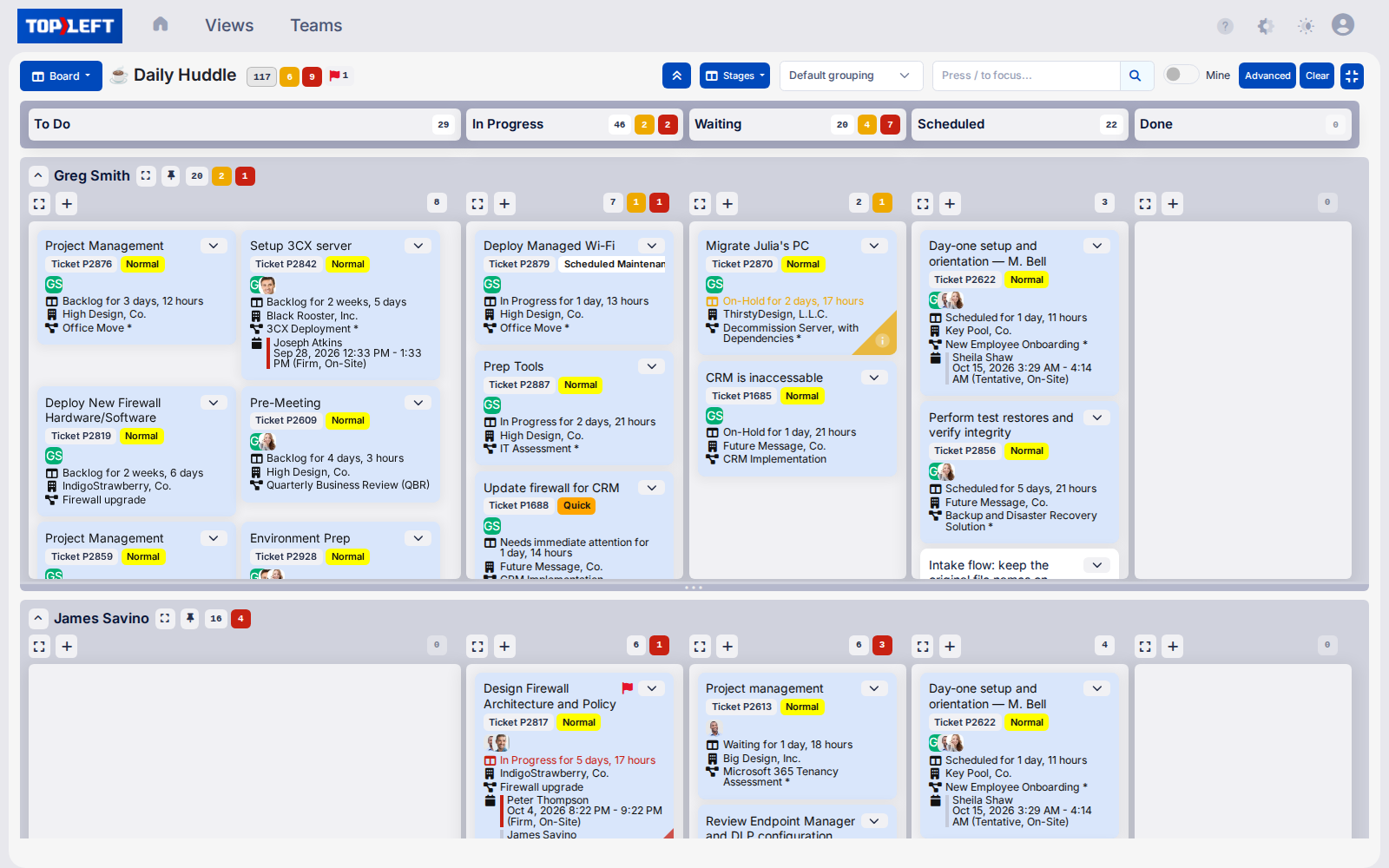
A P1 will blow up the plan by 10am. Kanban does not pretend otherwise. When the emergency lands, a visible board with WIP limits means everyone can see what got bumped and why, instead of the schedule quietly falling apart. The board absorbs the interrupt. A calendar cannot.
When work finishes instead of stalling at 80 percent, the same team clears more. That is capacity you would otherwise hire for, plus start dates you can keep and a way to spot overload before someone burns out and quits.
If WIP limits are the one rule, the daily huddle is the one ritual: a few minutes reviewing & updating the board each morning. Skip it and the board gets stale and useless very quickly.
What it is
Ten minutes most mornings, fifteen at the most, the whole delivery team at the board. It only stays that short when people come prepared, with their tickets already in the right status. You do not read status out loud. You walk the board.
Why it works
The huddle is short because the board did the explaining. No prep, no slide, no recap.
Kanban belongs to the same family as Lean and Agile. In MSP terms: Kanban makes the work visible and limits what is in progress. Lean means cutting the steps that do not help the client. Agile means adjusting fast when the day changes. The board is where all three show up.
Which is why buying a board and stopping there rarely moves the numbers. The change is in the daily huddle, the pull habit, and the WIP limit the team actually holds to.
I don't think we have one meeting that goes by that we don't identify five tickets that should have been closed and weren't. So, it's a huge help.
The tool
10%
The board, the swimlanes, the dashboards, the sync
Most tool evaluations stop at the waterline.
The methodology
90%
Daily huddle · pull-based workflow · WIP limits · single-tasking
Stages and swimlanes · triage and dispatch · capacity planning
Dispatcher freed from scheduling · weekly leadership meeting · team rhythm
Lean mindset · continuous improvement · flow over rigid perfection
Book a 30-minute demo. We walk through a live board built the way an MSP runs it, show how WIP limits and swimlanes work, and connect it to how you run delivery today. No commitment.
SOC 2 Type II compliant. Your tickets and time stay in your PSA.
We use cookies to see how people use this site and which companies visit (Google Analytics, Microsoft Clarity, HubSpot, Vector and Apollo). Allow them? Privacy policy