
TopLeft fits when your team works projects and service tickets.
Project tasks and service tickets sit on the same board, so managers and engineers who split their day between the two see all of it in one place.
Project tasks and service tickets on one board, columns that hold several Autotask statuses, and a view across every project, all on the Autotask data you already have.
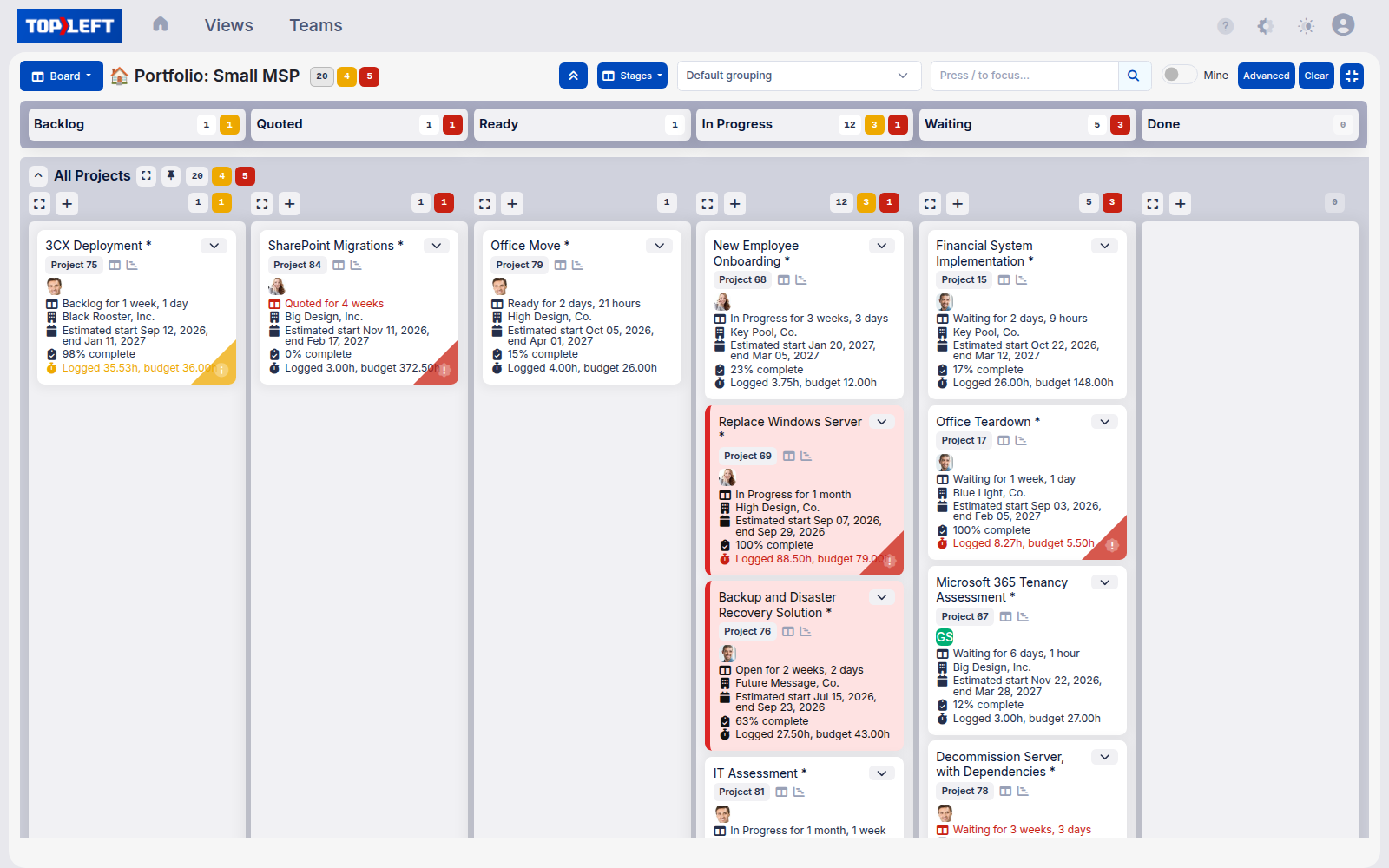
TopLeft fully supports project tasks and service tickets, unlike the Autotask Boards which only visualize service tickets. This is mission critical for managers and engineers who are not only working on projects, but often a mix of project and service tickets.
| Feature | TopLeft | Autotask Boards |
|---|---|---|
| Project tasks | Project tasks and service tickets on the same board, each project stage and task tracked | Service tickets only |
| Workflow | Several statuses in one column, columns in any order, tickets from several queues on one board | One status per column, in a fixed layout |
| Tickets that need attention | Stalled, nearly due, overdue and over-budget tickets are highlighted | No highlighting |
| Tickets per board | More than 100 | Up to 100 |
| Hours per column | Budgeted and logged hours totalled per column or swimlane | Not available |
| Updates | In real time, without reloading or opening new tabs | Reload pages and open new tabs |
| Trying it first | Required onboarding, a free two-week proof of concept, and a 30-day money-back guarantee | Not offered |
Project tasks
TopLeft
Autotask Boards
Workflow
TopLeft
Autotask Boards
Tickets that need attention
TopLeft
Autotask Boards
Tickets per board
TopLeft
Autotask Boards
Hours per column
TopLeft
Autotask Boards
Updates
TopLeft
Autotask Boards
Trying it first
TopLeft
Autotask Boards
Project tasks and service tickets sit on the same board, so managers and engineers who split their day between the two see all of it in one place.
Put several statuses in one column, order the columns your way and pull tickets from several queues onto one board. Stalled, nearly due, overdue and over-budget tickets are highlighted, and budgeted and logged hours are totalled per column.
Autotask Boards shows service tickets inside Autotask, one status per column. If nobody on the team works project tasks and a board of up to 100 tickets covers your queue, it may be all you need.
★★★★★
“TopLeft turned project management from staring at huge lists, impossible to prioritize, into easily digestible, very visually compelling information.”

Sarah Ellis
CIO, Clear Guidance
★★★★★
“It's weird that this is the exact same data in a new visual form, but suddenly everybody knows which tickets should have been closed when they didn't just with ConnectWise Manage. (Closed almost 300 old or finished tickets out of 450 in a week)”

Matthew Kaufman
CEO, KaufmanIT
★★★★★
“We were able to move our average project delivery from negative efficiency to positive 58% efficiency. So we finish projects now with an average of 1/3 time left over! TopLeft is an extremely affordable investment, considering the costs of switching PSAs and the efficiency improvements.”Read the full story

Steve Psaradellis
CEO, TEBA
Get a personal tour of how PSA-integrated Kanban boards give your team a shared view of all their work.
We use cookies to see how people use this site and which companies visit (Google Analytics, Microsoft Clarity, HubSpot, Vector and Apollo). Allow them? Privacy policy