
Kanban boards for HaloPSA
For MSP service managers, technicians and project managers on HaloPSA.
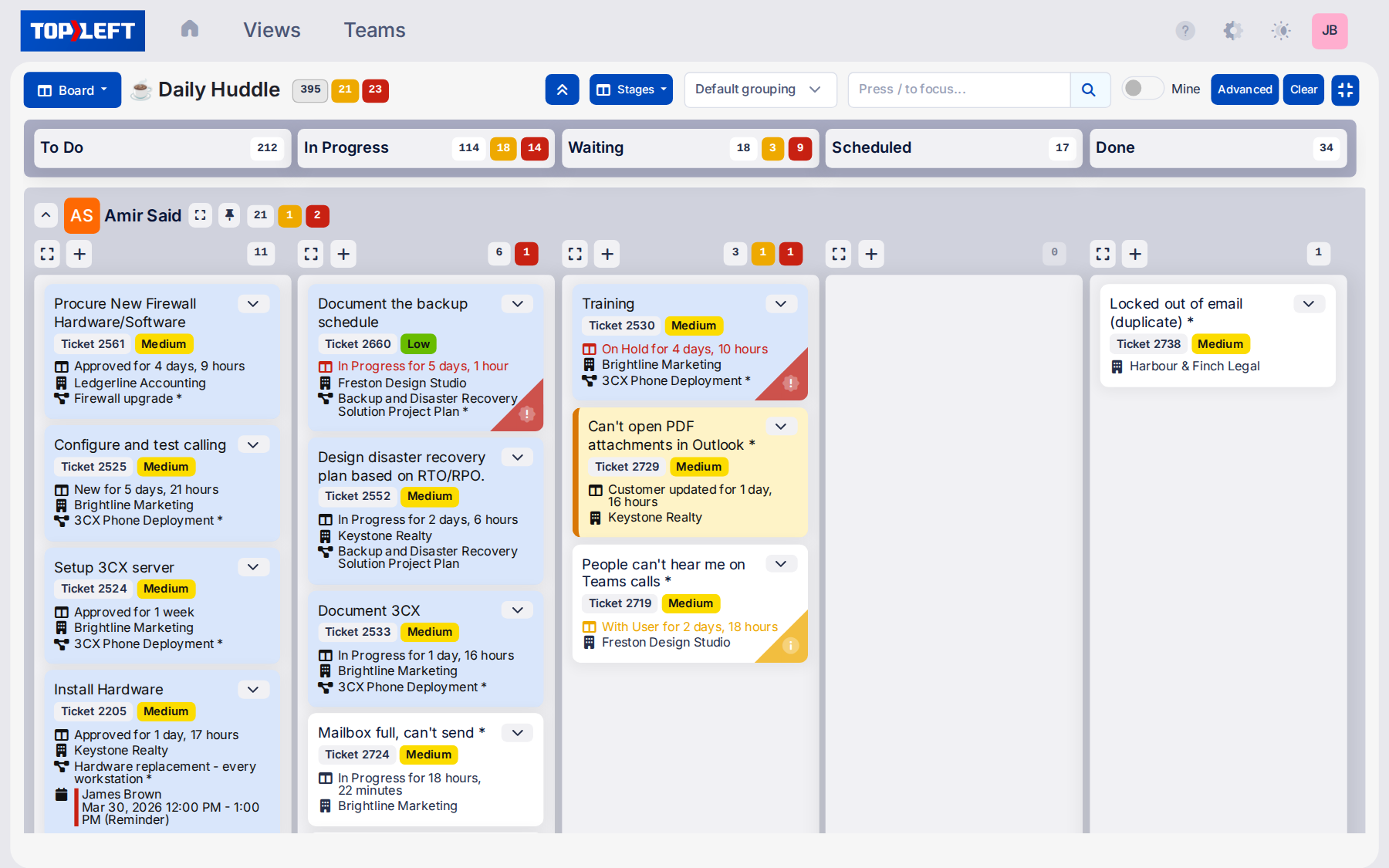
Used by 700+ MSPs




Why TopLeft + HaloPSA?
Managing MSP projects in HaloPSA alone overwhelms teams, and leads to the following issues:
- Technicians waste time switching screens
- Executives can't see where work stands today
- Difficult to track progress across multiple statuses
- Bottlenecks only visible after client impact
- Workload distribution requires navigating multiple screens
- Cross-team collaboration hindered by silos
- Adapting to shifting priorities is challenging
TopLeft improves your HaloPSA setup with visual workflows, delivering smoother team coordination, faster decisions, and reduced resolution times, while preserving all existing functionality.
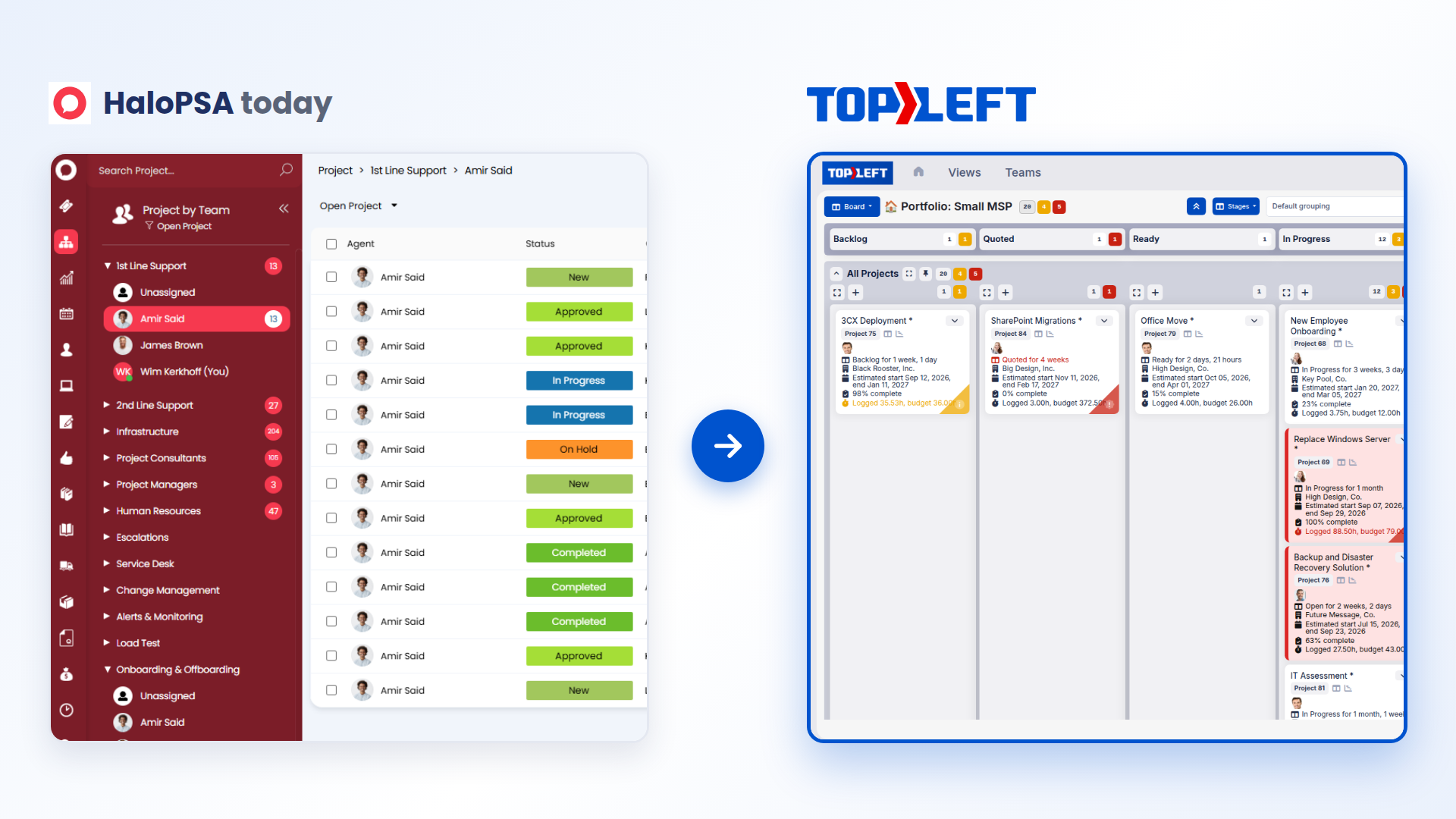
Know your team has room before you commit to a project
Capacity planning looks ahead. Before you take on a project or promise a start date, see whether your team has the hours for it. TopLeft reads the project work already scheduled in HaloPSA and shows it against each engineer's available hours:
See capacity week by week: spot who is overcommitted in any coming week, and who has room.
Plan start dates you can keep: move a project's dates on the timeline and watch the load change before you give the client a date.
Balance the work before it lands: shift tasks to someone with room before the week arrives.
For how work is going right now, use Project Health AI and the Kanban boards.
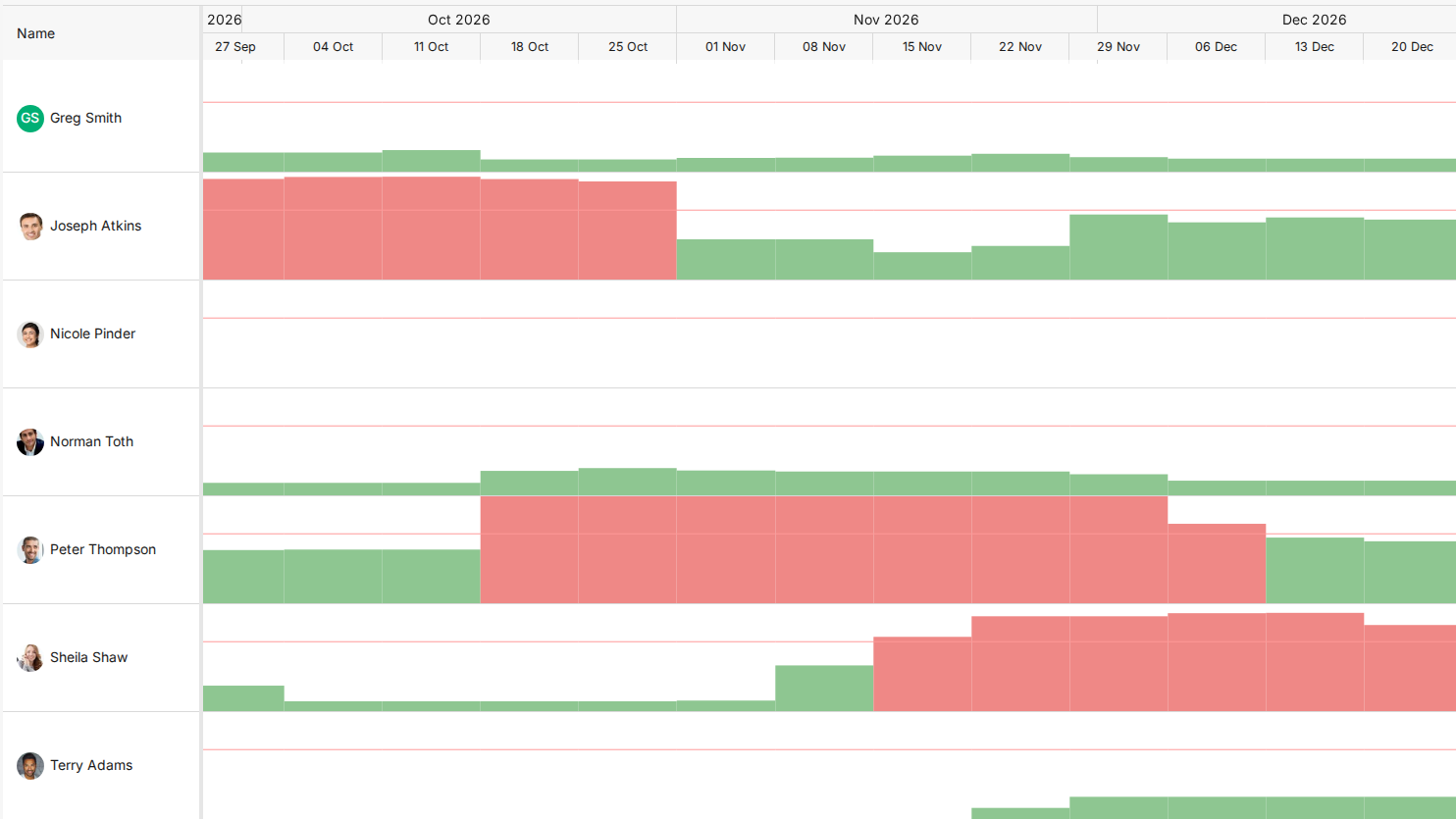
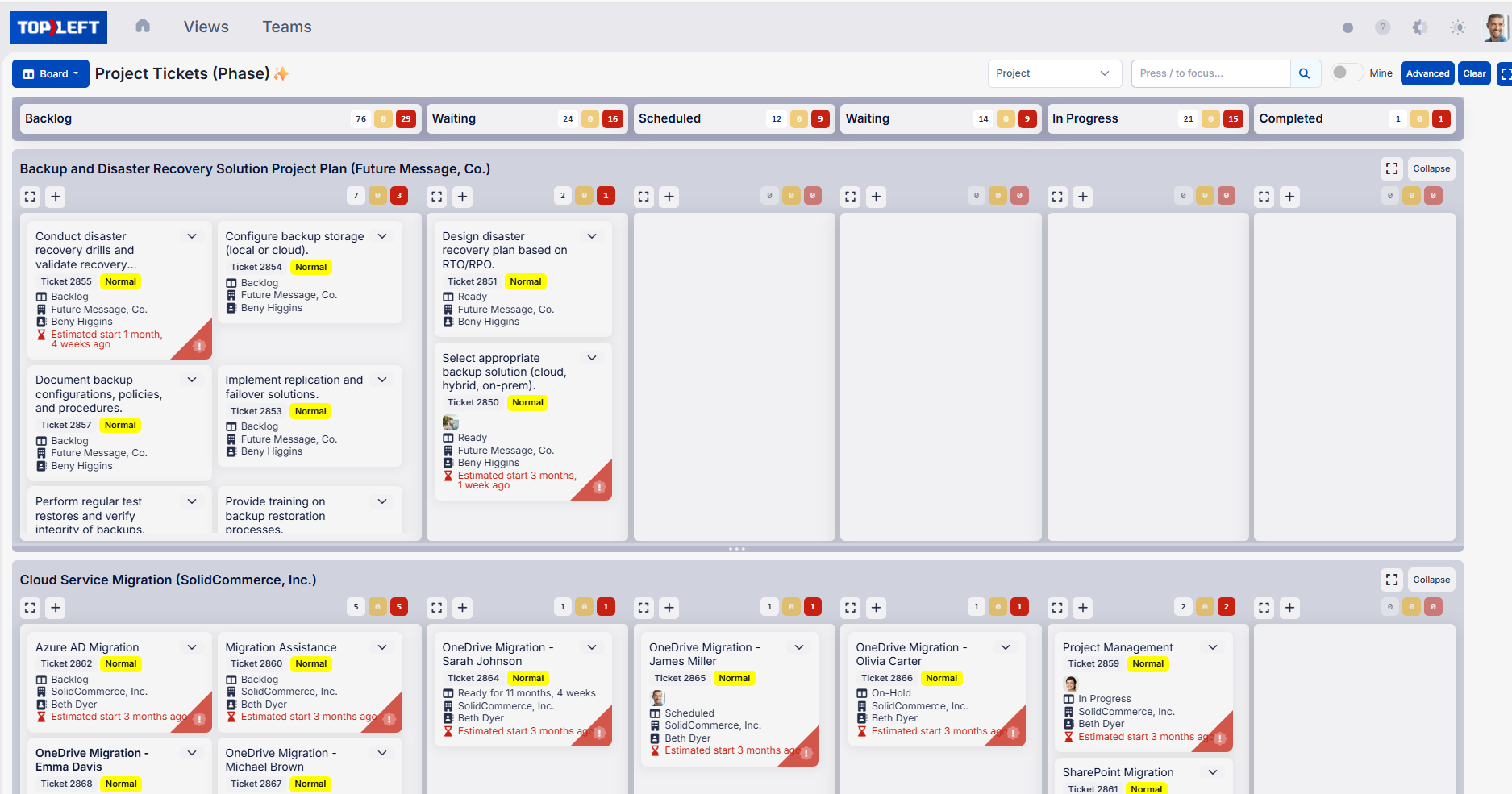
Organize and control work by grouping projects, resources, and priorities visually
HaloPSA provides a strong foundation for MSPs, and TopLeft adds clear, visual Swimlanes (rows that group cards, for example by client, technician or project) that make daily work easier to organize and control. You will gain:
Smart Ticket Organization: Your team can instantly see which tickets matter most by viewing HaloPSA work grouped by project, priority, or technician.
Visual Dispatch: Quickly balance workloads and assign tickets in seconds, keeping the right techs on the right tasks without confusion or delays.
Instant Team Visibility: See work progress, capacity, and bottlenecks at a glance.
Result: Help your team stay focused, avoid burnout, and finish work on time.
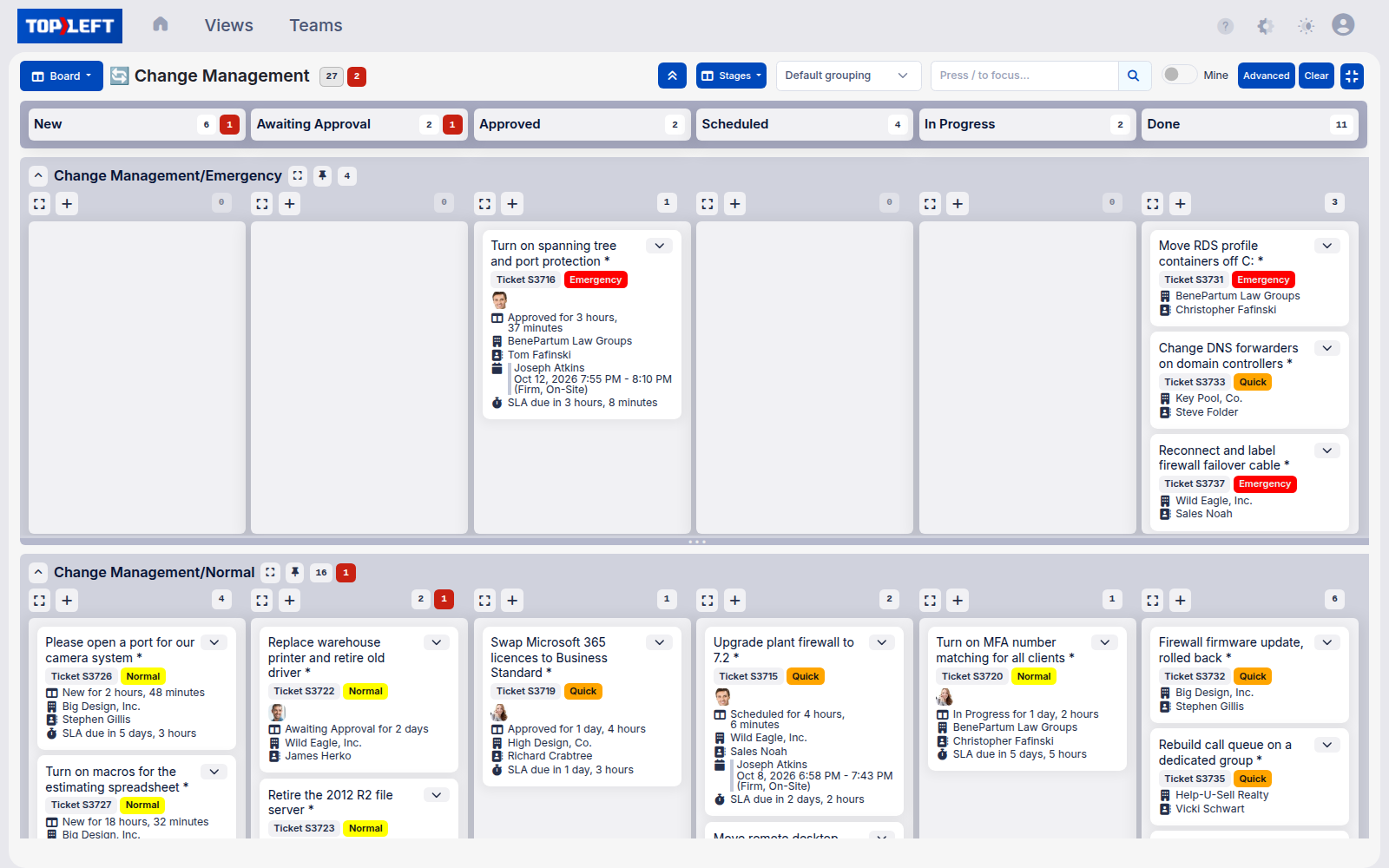
Faster dispatching and clearer work ownership through HaloPSA
HaloPSA provides a strong foundation for MSPs, and TopLeft adds real-time dispatch visibility so you can assign work faster and keep every technician accountable.
You’ll gain:
- Instant Team Visibility: See technician capacity and ticket ownership at a glance so dispatch decisions are fast and balanced.
- Full Ticket Visibility: See every ticket in one view so none of your technicians' responsibilities slip through the cracks.
Result: Faster dispatching, balanced workloads, and no missed tickets.
Why TopLeft stands apart from other visualization tools
Unlike HaloPSA, most visualization tools like Trello, Microsoft Planner, Jira, Monday.com, Smartsheet, Moovila, Asana, NilearOS and Microsoft Project are built for general project/ticket tracking, not for MSP operations.
TopLeft connects with HaloPSA to give users clear visual boards and deeper PSA project visibility, combining service, project, and client management in one place.
This is used for managing real PSA client work, including ticket queues, recurring tasks, SLAs, and dispatch assignments.
Your path to better project and service management
The improvement journey starts with visualization, improves workflow efficiency, and strengthens operations. MSPs using TopLeft with HaloPSA typically experience:
See clearly
- Visualize your HaloPSA data with Kanban boards
- Track approaching deadlines with color-coded indicators
- Identify workflow problems before they impact clients
Improve flow, so work keeps moving across the board
- Implement work-in-progress (WIP) limits, a cap on how many cards a column or a person can hold at once, and identify bottlenecks
- Achieve clearer ticket prioritization and resolution
- Connect different teams with unified visual boards
Transform operations
- Build sustainable practices based on visual data
- Create consistent service delivery patterns
- Deliver projects on time with improved client satisfaction
MSPs on shorter queues and fewer bottlenecks
★★★★★
“Morgan Birgé improved efficiency and ticket management by implementing TopLeft, leading to better utilization and faster response times for customers. We have reduced ticket queue from 180 to under 100, and enhanced tech utilization, with some improving from 30% to 60%.”Read the full story

Te’neyl Simpson
Director of Technical Operations, Morgan Birgé
★★★★★
“We see value in using TopLeft. We have seen firsthand how it has helped us visualize our workflows, identify bottlenecks and continuously improve our processes. We've even brought in new team members who were able to rapidly get up to speed with TopLeft.”Read the full story

Judi Baker
Service Desk Manager, Seitel Systems
★★★★★
“As of today, we're sitting at 100% CSAT rating. Our ticket count right now is 15. And we haven't lost a client in 2 years.”
Scott Taylor
COO, Allixo Technologies
Simple implementation in 30 minutes
With HaloPSA, you can sync easily with TopLeft features in four steps:
- Configure a HaloPSA API Agent with appropriate permissions
- Enter your HaloPSA credentials in TopLeft's integration portal
- Select which ticket types and HaloPSA data you want to visualize
- Invite your team to start collaborating with their HaloPSA data
Now your HaloPSA and TopLeft have synchronized, you can effortlessly track ticket details, visualize workflows, and improve team collaboration across devices, all while improving efficiency and reducing bottlenecks.
See it in action
Get a personal tour of how PSA-integrated Kanban boards give your team a shared view of all their work.