
Proper Gantt charts for your PSA's projects
Every phase, dependency and deadline on one timeline, synced both ways with ConnectWise, Autotask and HaloPSA.
Used by 700+ MSPs




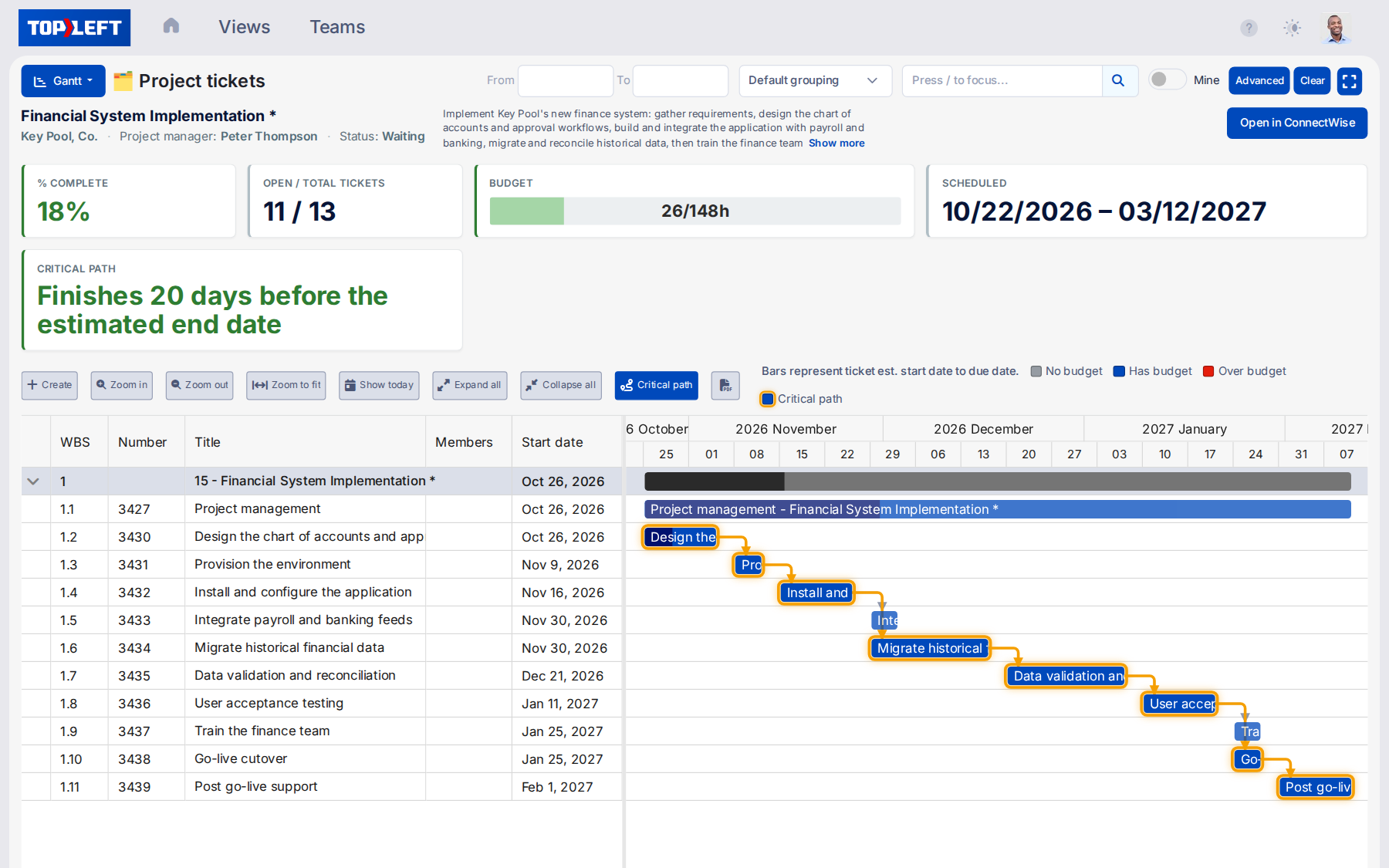
Follow each project's critical path
Drill down to the details of any project with task-level Gantt visualization. Move beyond high-level PSA status updates to truly understand project health.
- Monitor tasks within their project phases - See exactly where each project stands in terms of status
- View task dependencies and critical paths - Understand which tasks must be completed before others can begin
- Track completion percentage with visual progress bars - Measure actual progress against planned progress at a glance
- Identify at-risk tasks before they impact deadlines - Spot and address bottlenecks weeks before they become client escalations
Visualize your entire project portfolio
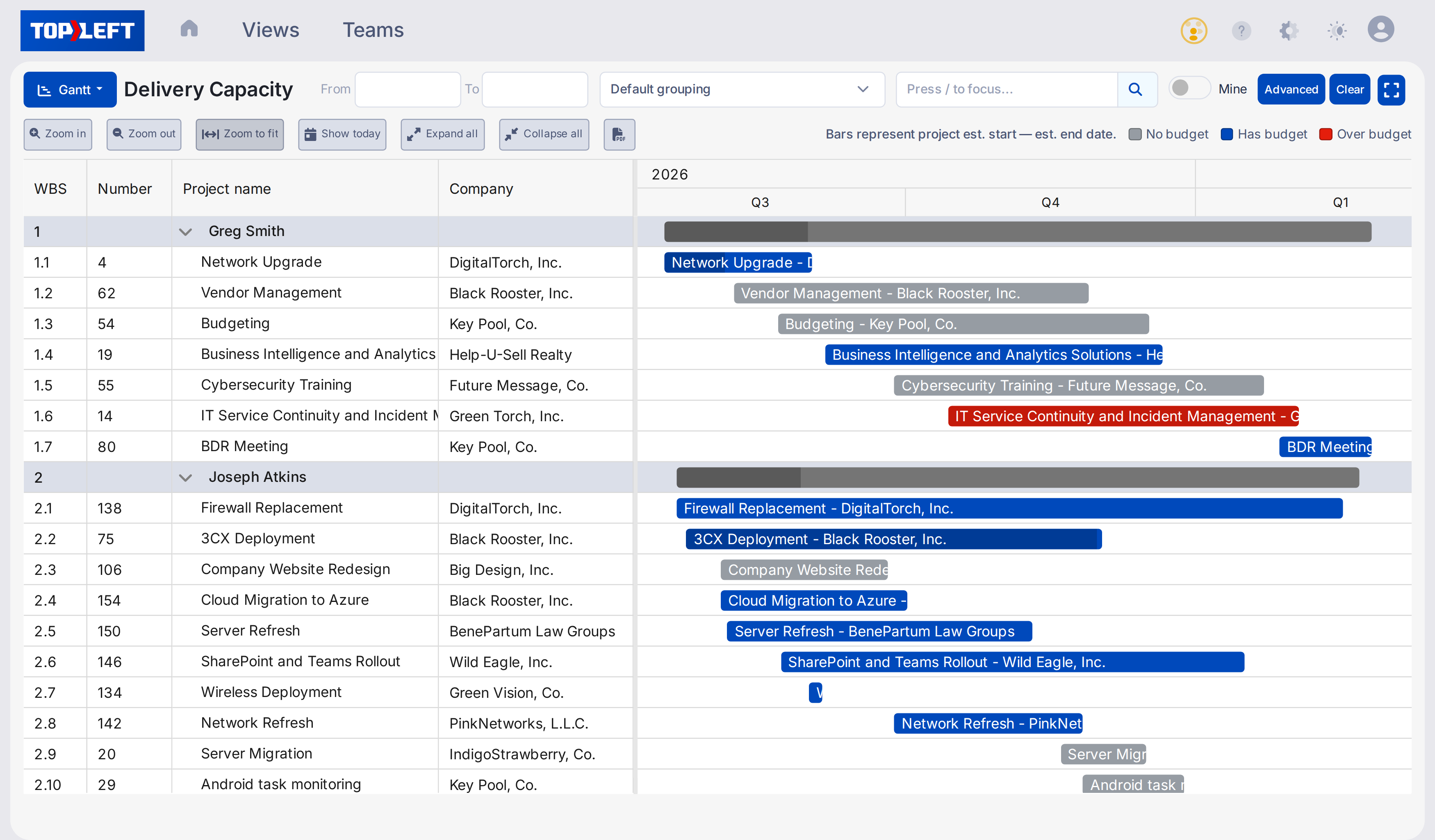
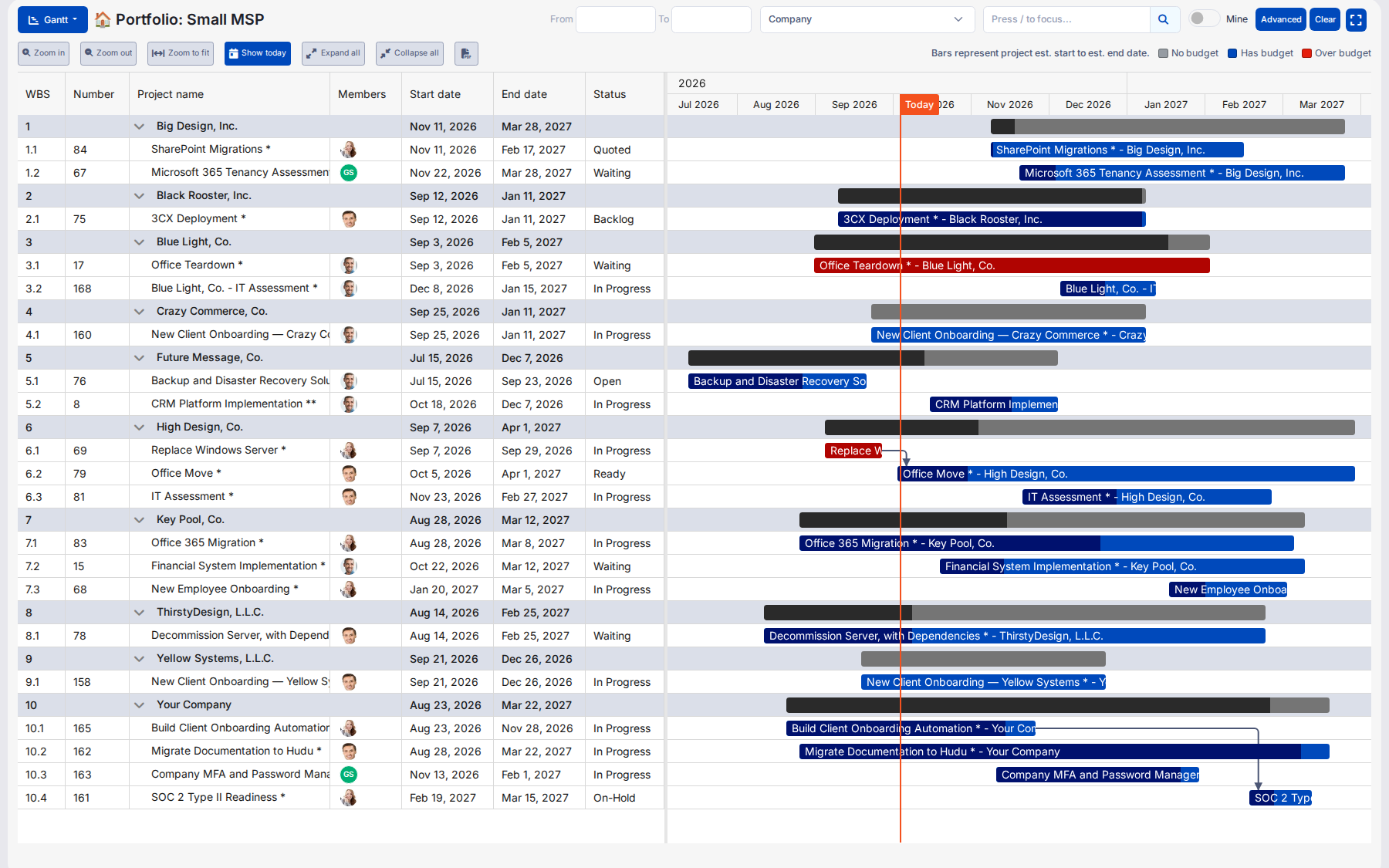
Get a bird's-eye view of all your active projects in one screen. Organize scattered PSA project data into clear, usable views.
- See all projects at a glance with color-coded timelines - Instantly understand which projects are on track, at risk, or behind schedule
- Identify resource conflicts across multiple projects - Spot and resolve overbooking issues before they become costly emergencies
- Understand dependencies between related projects - Visualize how delays in one project could impact others in your portfolio
- Adjust project timelines with simple drag-and-drop - Make changes in seconds that would take minutes or hours in your PSA
Resource allocation made easy
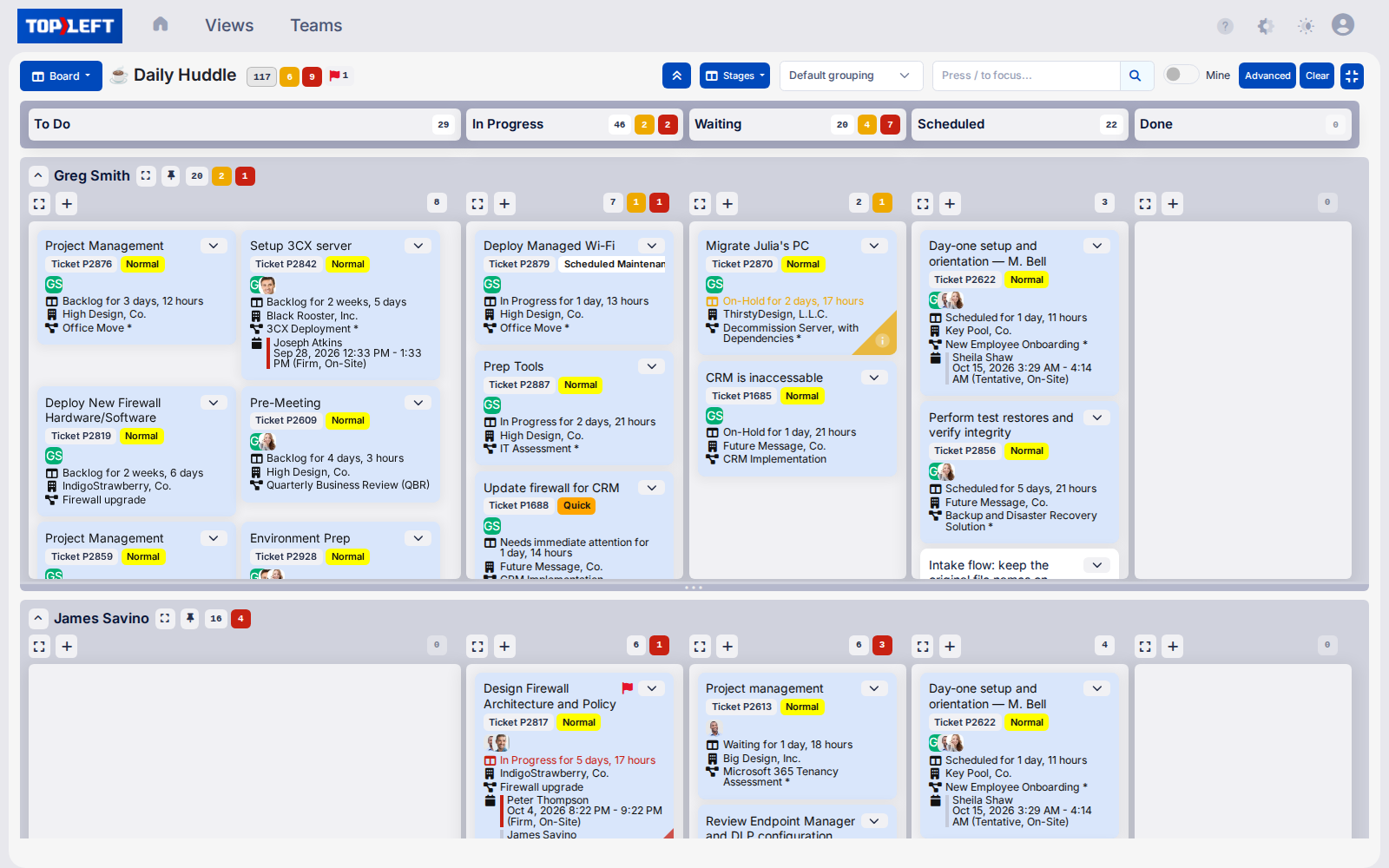
Balance workloads and prevent bottlenecks with resource-focused views. End the constant juggling act of assigning the right resources to the right projects.
- See resource allocation across all projects - Understand exactly how your team's time is being utilized so you can stop wasting it
- Identify overloaded resources before burnout occurs - Prevent technician turnover by spotting unrealistic workloads early
- Drag and drop to reassign tasks and balance workloads - Redistribute work in seconds, not hours
- Prevent scheduling conflicts with real-time availability insights - Never double-book your best engineers again
What MSPs say
★★★★★
“TopLeft turned project management from staring at huge lists, impossible to prioritize, into easily digestible, very visually compelling information.”

Sarah Ellis
CIO, Clear Guidance
Questions MSPs ask
How do Gantt charts complement Kanban boards?
While Kanban boards excel at showing work status, distribution, and bottlenecks, they don't inherently display timeline relationships. Gantt charts complement this by visualizing the critical time dimension of projects. Together, these tools show both where work stands and where the timeline is.
Can I adjust project timelines directly from the Gantt view?
Yes! TopLeft's Gantt charts are fully interactive. Users with Engineer and Manager licenses can drag task bars to change start and end dates, extend durations, or reschedule entire projects. Viewer license holders can view all timeline information but cannot make changes.
How do dependencies work in TopLeft Gantt charts?
Task dependencies (predecessors) set in your PSA are automatically displayed in TopLeft Gantt charts. This makes it easy to see the relationships between tasks and understand the critical path of your project. Dependencies appear as arrows connecting related tasks.
How does TopLeft help me identify at-risk projects?
TopLeft Gantt charts use visual indicators to highlight progress and budget status. The dark portion of each task bar shows the percentage of budget used. When work exceeds the allocated budget, the bar turns red, providing an immediate visual cue that attention is needed.
Can I view resource allocation across multiple projects?
Yes, TopLeft's multi-project Gantt view allows you to see resource allocation across your entire project portfolio. This helps you identify overcommitted resources and potential bottlenecks before they impact your delivery timeline.
How do I access different Gantt chart views?
TopLeft offers multiple ways to access Gantt charts: From a project board: click the timeline icon in the main menu From a project card: click the Gantt chart link From a project or phase swimlane (a row that groups cards, for example by client, technician or project): click the link in the swimlane header
Can I filter the Gantt view to focus on specific projects or timeframes?
Yes, TopLeft Gantt charts include filtering options that allow you to focus on specific projects, phases, resources, or date ranges. This makes it easy to zoom in on exactly the information you need.
Do Gantt charts sync with my PSA data?
Absolutely. All timeline data in TopLeft Gantt charts syncs bidirectionally with your PSA. Changes made in the Gantt view update your PSA, and changes made in your PSA appear in TopLeft in real-time.
Can I share Gantt charts with clients or team members?
Yes, TopLeft makes it easy to share Gantt charts with clients and your team. You can export charts as PDFs, share direct links with team members who have TopLeft access, or display them during client meetings for transparent progress updates.
How quickly can we implement Gantt charts with TopLeft?
Implementation is immediate. As soon as you connect TopLeft to your PSA, your project and task data is available in Gantt format. There's no additional setup required beyond your existing PSA configuration.
See it in action
Get a personal tour of how PSA-integrated Kanban boards give your team a shared view of all their work.