














Discover your MSP’s true strengths and blind spots, and see what it’ll take to scale with higher margins, on-time projects, and a team that works in sync.










Why TopLeft?
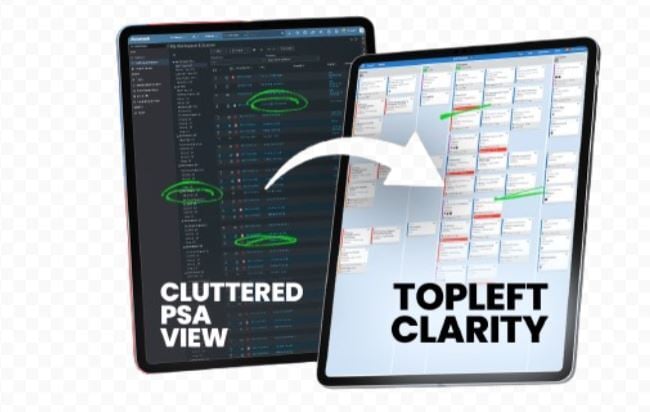
Managing multiple BMC Helix projects and tickets often becomes overwhelming when details pile up and bottlenecks surface too late.
TopLeft works alongside your BMC Helix setup to give your team a clear, real-time view of progress so everyone stays organized, meets deadlines, and delivers work without last-minute surprises.
Keep projects on track with smarter BMC Helix capacity planning.
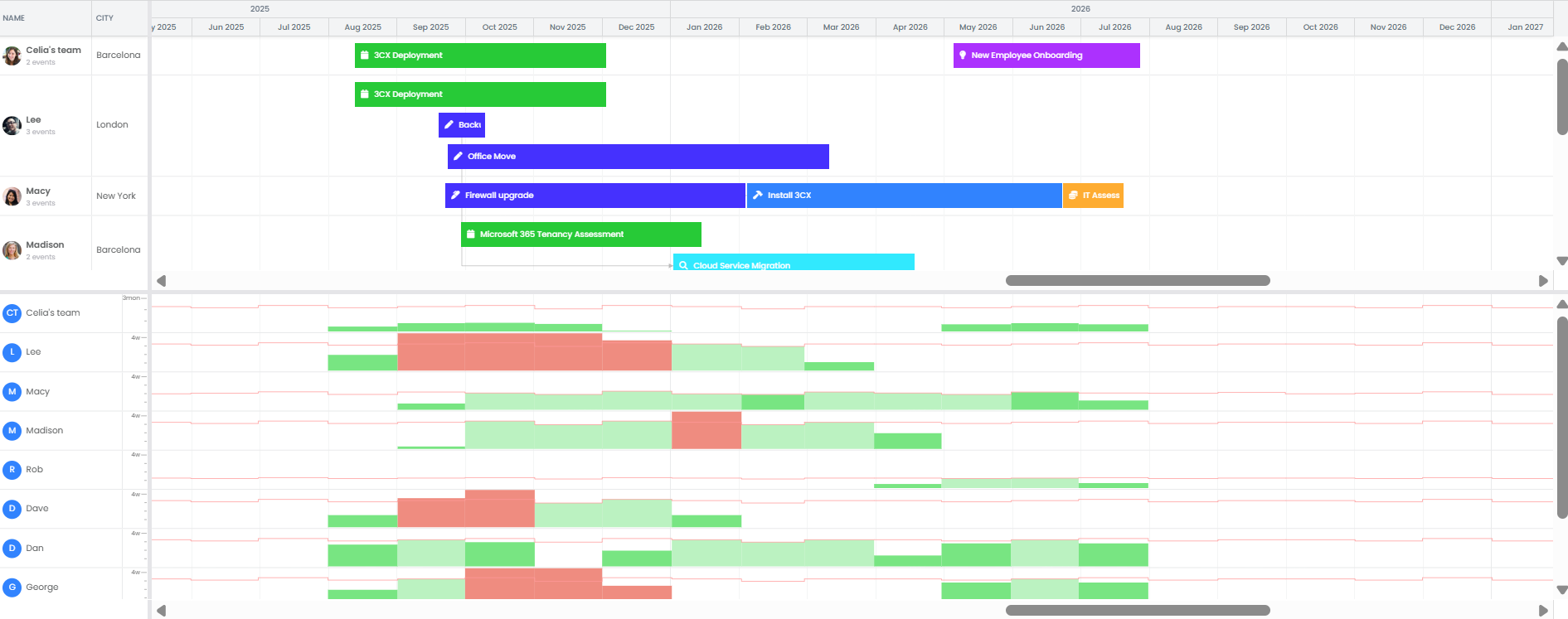
Switching between BMC Helix screens wastes time and makes it hard to see who’s overloaded with work. TopLeft would add a clear visual layer so your team can.
See Capacity in Real Time – Instantly spot when someone’s overbooked with work, and adjust before deadlines slip.
Balance Workloads Easily – Reassign tasks in seconds so every technician has a manageable queue.
Prevent Bottlenecks Early – Use TopLeft’s BMC Helix-integrated client portal to spot delays in real time and address issues before they affect clients or project timelines.
Focus on What Matters Most – Know exactly which projects and tickets need attention to keep work flowing and SLAs on track.
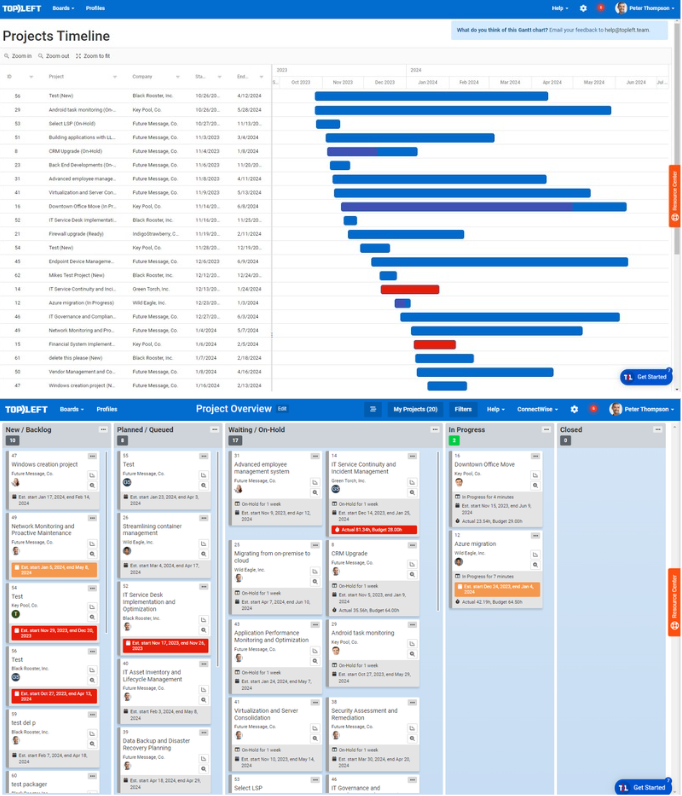
Project and Resource Visibility for BMC Helix
If released, the TopLeft–BMC Helix integration will let you:
-
Visualize all projects at once with customizable dashboards
-
Get instant insight into team performance and bottlenecks, so you can help your managers make faster decisions and your engineers stay focused on the right work.
-
View technician hours directly on boards
-
Access project health and budget insights in real time
-
See your service and project data in Kanban and BMC Helix Gantt views so your team stays clear, aligned, and on schedule.
Result: Everyone sees their work clearly, stays aligned, and meets deadlines.
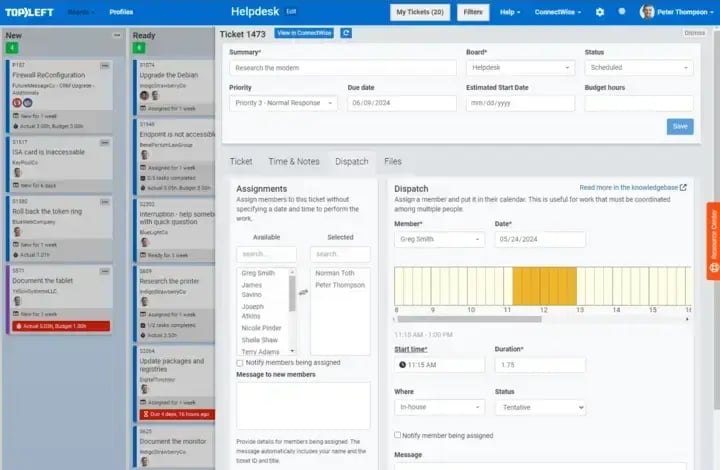
Faster Dispatching and Clearer Work Ownership Through BMC Helix
BMC Helix provides a strong foundation for MSPs, and TopLeft adds real-time dispatch visibility so you can assign work faster and keep every technician accountable.
You’ll gain:
- Instant Team Visibility: See technician capacity and ticket ownership at a glance so dispatch decisions are fast and balanced.
- Full Ticket Visibility - See every ticket in one view so none of your technicians' responsibilities slip through the cracks.
Result: Faster dispatching, balanced workloads, and no missed tickets.
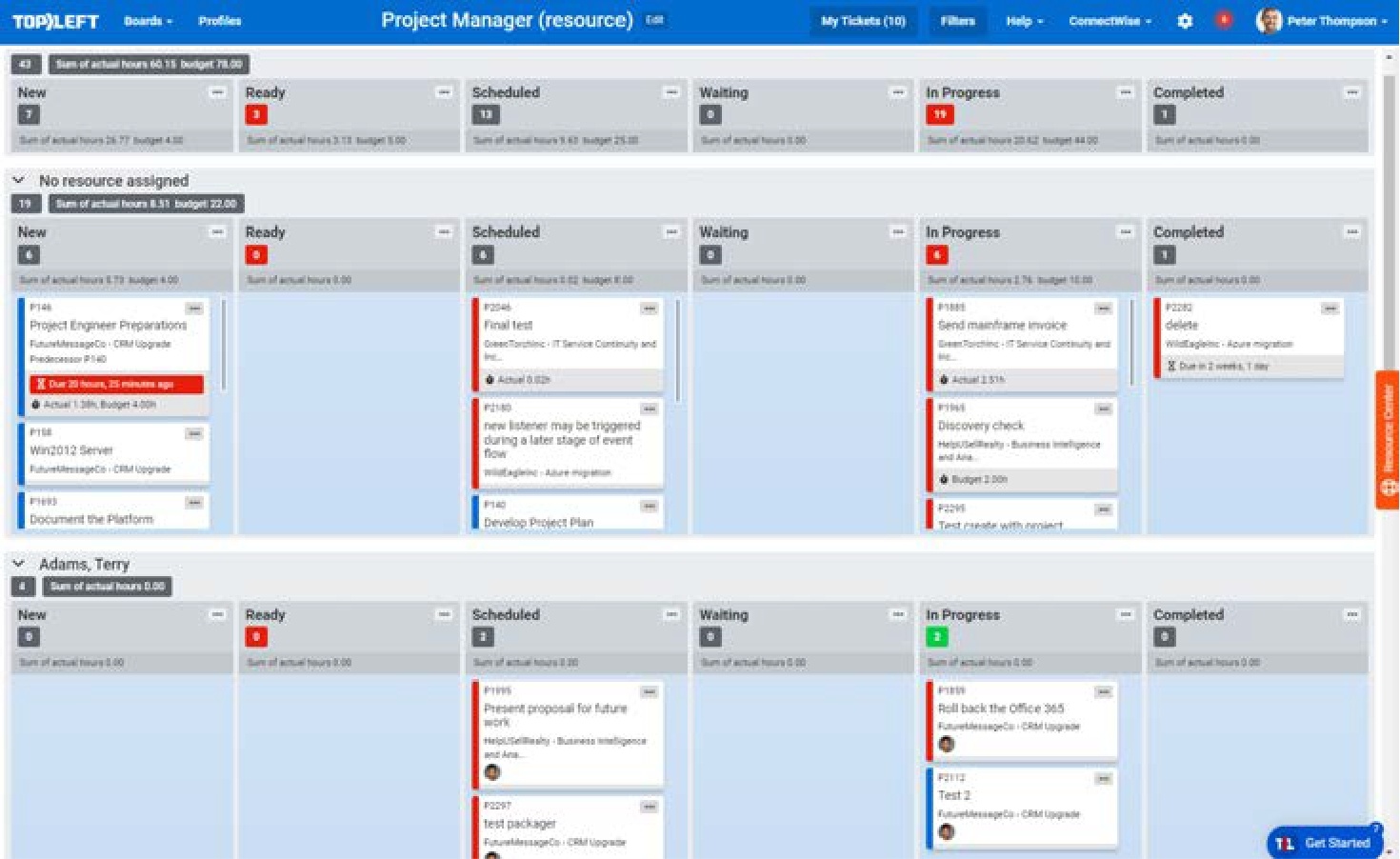
Organize and Control Work by Grouping Projects, Resources, and Priorities Visually
BMC Helix provides a strong foundation for MSPs, and TopLeft would add clear, visual Swimlanes that make daily work easier to organize and control. You will gain:
Smart Ticket Organization: Your team can instantly see which tickets matter most by viewing BMC Helix work grouped by project, priority, or technician.
Visual Dispatch: Quickly balance workloads and assign tickets in seconds, keeping the right techs on the right tasks without confusion or delays.
Instant Team Visibility: See work progress, capacity, and bottlenecks at a glance
Result: Help your team stay focused, avoid burnout, and finish work on time.

Why TopLeft Stands Apart from Other Visualization Tools
Unlike BMC Helix, most visualization tools like Trello, MS Planner, Jira, Monday.com, Smartsheet, Moovila, Asana, NilearOS and Microsoft Project are built for general project/ticket tracking, not for MSP operations.
If the integration happens, TopLeft will connect with BMC Helix to give users clear visual boards and deeper PSA project visibility, combining service, project, and client management in one place.
This is used for managing real PSA client work, including ticket queues, recurring tasks, SLAs, and dispatch assignments.
What Customers Are Saying


With TopLeft, it takes much less time for me to communicate, assign, and correct statuses. I had a project with 55–60 tickets that needed assignments and status correction. In ConnectWise, it takes me around 45 minutes to complete the job, while in TopLeft, it only took me 13 minutes.
Alex Anderson
Project Manager
Helixstorm

By implementing the Agile methods and TopLeft teaching, we increased CSAT to 95%, went from 9% to 22% EBITA, and reduced a 300+ ticket backlog to under 60.
Erik Woodland
Pro Support Engineer
Intermix IT